Campaign Builder Help Center

Display Ads

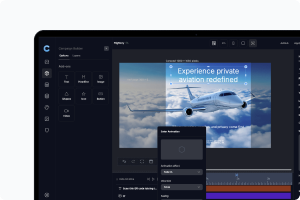
Build engaging HTML5 creatives with motion and interaction - no coding required.

Mockup

Using AI to Remove Backgrounds from Images

Our platform offers an innovative AI-powered tool that helps you easily remove backgrounds from images, saving you time and effort while ensuring your visuals look clean and professional. Whether you're working with product photos, portraits, or any other type of image, this feature lets you isolate the subject and create a polished result without the need for manual editing.
Mockup

Using AI for Text Add-ons in Your Ads

Our platform provides an innovative AI-powered feature that helps you generate compelling and effective text for your ad add-ons. This tool allows you to quickly create text content that resonates with your audience, saving you time and effort while ensuring your ads are engaging and impactful.
Mockup

Using the Multi-Variants Feature in the Ad Builder

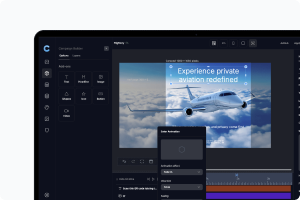
Variants let you create multiple versions of your ad within the same campaign. Each Variant can have its own design, content, and message, making it easy to tailor ads to specific audiences, occasions, or strategies - all from a single creative setup. While Scenes help you build a single ad with multiple steps or transitions, Variants allow you to manage entirely different ad versions in parallel. This is ideal for A/B testing, launching seasonal campaigns, running localized creatives, or personalizing content at scale.
Mockup

How to use the Heatmap Feature

We have added a powerful new feature to our Adhub-enabled campaigns: Heatmap visualization. This tool gives you a clear, intuitive view of where user interactions are concentrated across your creative ads, helping you make smarter, faster optimizations.
Mockup

Using Display Rules for Dynamic Content in the Ad Builder

When using a feed to dynamically load content into your ads, you now have the ability to apply Display Rules. These rules give you more control over how content is displayed, allowing you to define conditions for when certain elements should appear or be hidden based on the data being loaded. This ensures that your ads maintain a clean design and functionality, regardless of the content variations.
Mockup

Using the Built-in Image and Video Editor in the Ad Builder

To enhance your ad creation experience, our platform includes a built-in image and video editor. This feature allows you to edit images and videos directly within the Ad Builder, providing powerful tools to customize your media and align it with your brand’s aesthetics.
Mockup

Using the Multi-Scene Feature in the Ad Builder

The Multi-Scene feature in the Ad Builder allows you to create dynamic, engaging ads by adding multiple scenes to your design. This feature is especially useful when your ad’s look changes significantly throughout its duration, helping to structure your content in a more visually appealing way. Additionally, you can define seamless transitions between scenes to create a smooth and professional flow.
Mockup

Using the Text Effects Feature in the Ad Builder

Enhance the visual appeal of your ads by using the Text Effects feature in the Ad Builder. This feature allows you to apply different effects to your text elements, helping them stand out and align with your brand’s design aesthetic.
Mockup

Using the truncate text feature in the ad builder

When designing ads, consistency and readability are key to ensuring a visually appealing layout. If you are loading dynamic content from a feed, some text elements may be longer than expected, potentially breaking the design. To prevent this, the Truncate Text feature automatically shortens text that exceeds a set character limit, maintaining a clean and professional appearance.
Mockup

AdHub: Host and Manage Your Ads with Ease

Our AdHub is a powerful hosting solution that allows you to store and manage your ads without the typical size limitations imposed by most ad providers. With AdHub, you can generate ad tags for seamless integration into provider platforms while maintaining full control over your ads in real time.
Mockup

How to Export Your Ads in Various Formats

Our ad builder offers flexible export options, allowing you to download your ads in a variety of sizes and formats. Whether you're looking for static images, animations, or HTML5 files, you can export your ad in the format that best suits your needs.
Mockup

Grouping Feature to Manage Layers Efficiently

The Grouping feature in our ad builder allows you to combine multiple add-ons into a single group, making it easier to manage and position them as a unit. This feature is perfect for organizing complex designs, ensuring that related elements stay aligned and move together with ease.
Mockup

Using the Layer List to Organize Your Ad Elements

The Layer List in our ad builder gives you full control over the positioning and organization of all add-ons in your design. This feature helps you manage the stacking order of elements, making it easier to create well-structured and visually appealing ads.
Mockup

Using the Property Bar to Control Add-ons

The Property Bar in our platform provides a centralized way to manage and customize all add-ons in your ad designs. With this feature, you can easily adjust settings, fine-tune animations, and control the behavior of each add-on to ensure your ads look and perform exactly as you want.
Mockup

Timeline feature to animate your ads

The Timeline feature in our ad platform allows you to create engaging, animated ads by controlling how elements appear, move, and exit. With full animation control and a real-time preview option, you can ensure your ads are dynamic and attention-grabbing.
Mockup

Sharing Your Ads with an External Link

The platform allows you to share your ads with external stakeholders using a secure link. You can also add a password for extra security, ensuring that only authorized viewers can access your ad.
Mockup

Using Templates for Your Campaigns

The platform offers two convenient ways to streamline your campaign creation process: using pre-defined templates or saving your custom campaigns as templates. These options help you launch new campaigns faster and maintain consistency across your marketing efforts.
Mockup

How to handle add-ons in the Campaign Builder

The builder provides access to several add-ons to enhance your ads
Mockup

Create a new Display Ad

Navigate to the product via the main menu on the right. Select Creative Ads if it isn’t already set as the default. Here, you’ll see all the ads created within the account.
Mockup

Explore Our Full Listing of Creative Ads

Select Creative Ads if it isn’t already set as the default. Here, you’ll find all the ads created within the account.