Campaign Builder Help Center

Create a new Display Ad

Navigate to the product via the main menu on the right. Select Creative Ads if it isn’t already set as the default. Here, you’ll see all the ads created within the account.

From here, you can either:

  • Access our template library, or
  • Create a new campaign from scratch.

Creating a Campaign from Scratch

When starting from scratch, a modal will guide you through 4 simple steps to set up the basics of your campaign:
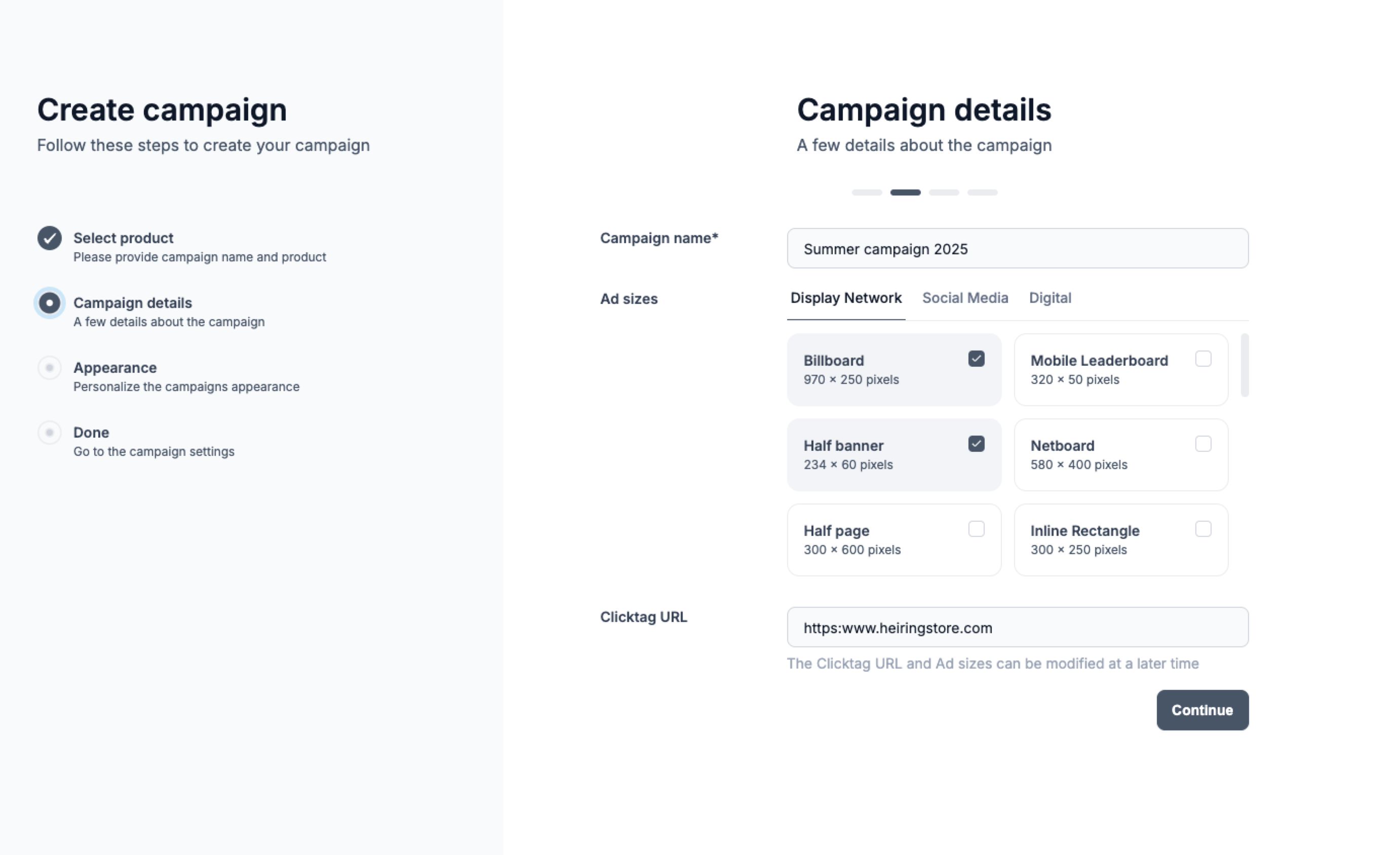
Campaign Name and Ad Sizes

  • Enter a campaign name.
  • Select the ad sizes you want to include in the ad set (you can add or remove sizes later).
  • If you already have the click tag for the ad, you can add it now or save it for later.

Once these steps are complete, your campaign is ready to build!