After you've successfully imported your eCommerce feed and mapped the relevant data to your ad content, the final step is to set up a product feed within our platform. This feed links your mapped product data to specific ads, allowing you to use it in dynamic ad formats such as Facebook Catalog Ads or Google Shopping.
To do this:
.png)
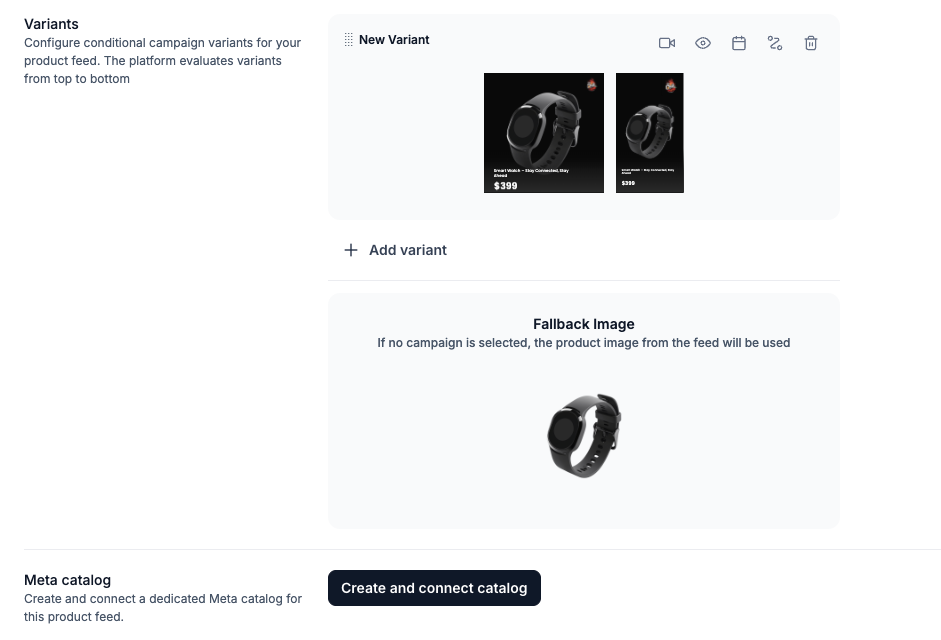
You can create multiple variants by linking each one to a specific campaign. This is especially powerful when you want a unique layout for seasonal campaigns - like Christmas - controlled by a defined date range.
.png)
Select if you want a specific campaign as fallback image or just use the default product image.
.png)
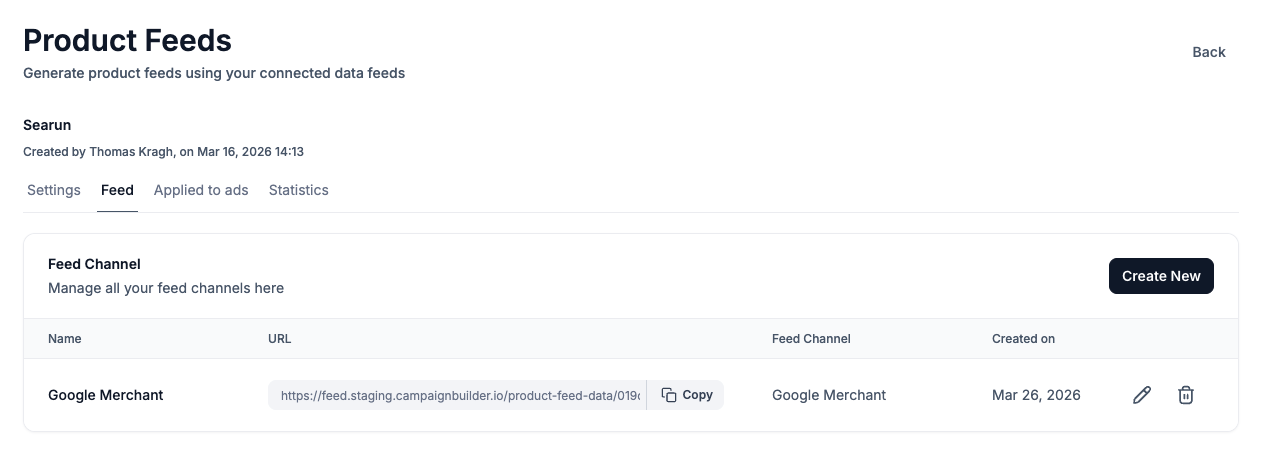
After setting up your DPA, go to the Feed tab to manage your outgoing feeds. From there, you can create new feeds for different channels.
You can map and customize data for each feed channel individually.
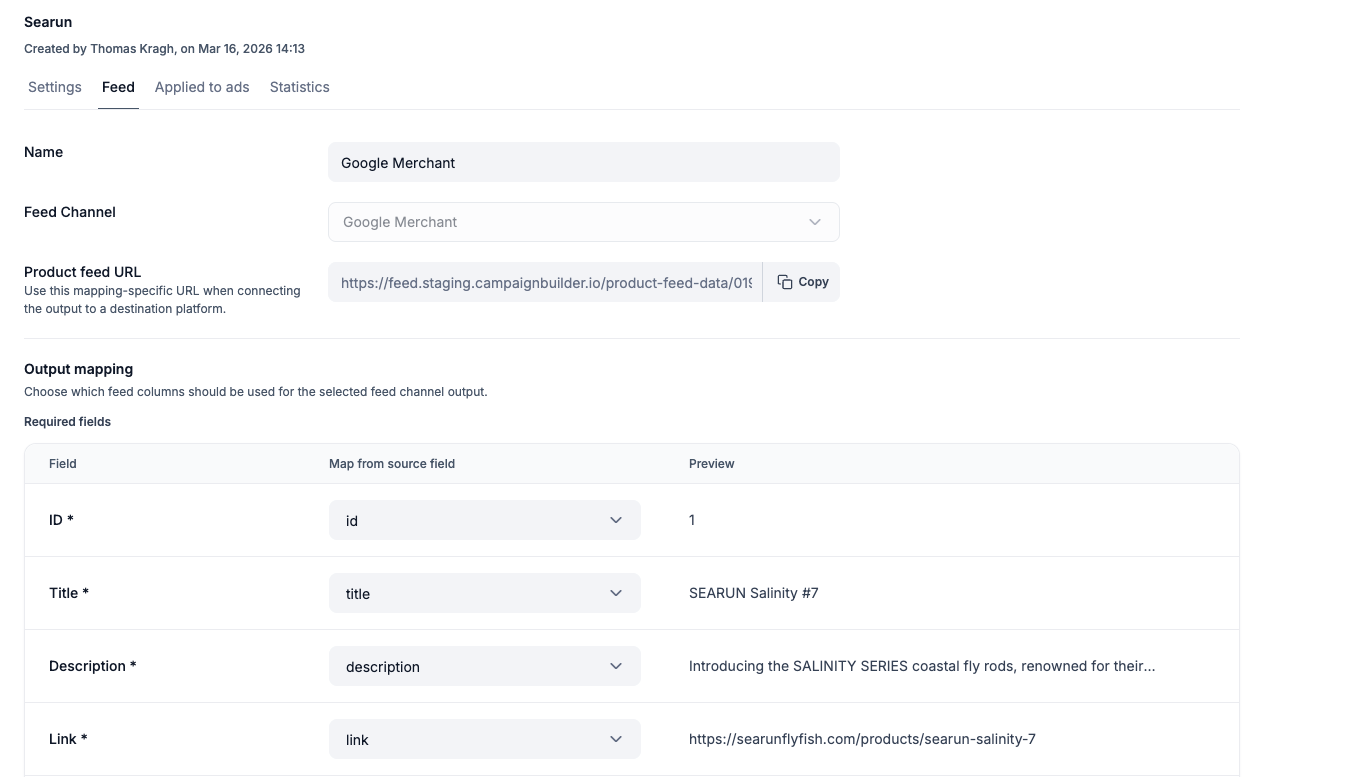
You can now use this feed URL when setting up dynamic product ads on platforms like Facebook Ads Manager. This ensures your ad platform always has up-to-date product information synced directly from your imported feed.
.png)
Once your product feed is set up in Campaign Builder, you can take it one step further by connecting it directly to Facebook Commerce.
Instead of managing separate feeds across platforms, Campaign Builder lets you use your optimized feed as a single source of truth - and sync it directly with your Facebook catalog. This means your product data, images, and updates stay consistent across both your ads and your commerce setup.
Because your feed is already cleaned, enriched, and structured inside Campaign Builder, you reduce the risk of common issues like disapproved products, missing data, or outdated pricing - all of which can negatively impact your catalog ads.
With a direct connection to Facebook Commerce, you can:
This makes it easier to go from product data → to creatives → to live campaigns, all from one platform. Just connect your Facebook Account under the settings page.
Start using the Product Feed Option today and scale your ad production effortlessly! 🚀

