Campaign Builder Help Center

Catalog Ads / DPA

Drive conversions with dynamic, feed-based ads that update automatically across your channels.

Mockup

Connect Your Catalog to TikTok

CampaignBuilder allows you to run dynamic product ads on TikTok by connecting your product feed directly to TikTok Ads Manager. Once connected, your products and designs will automatically sync, enabling you to create engaging, personalized ads without manual uploads.
Mockup

Adapt Your Catalog Ads to Different Placements

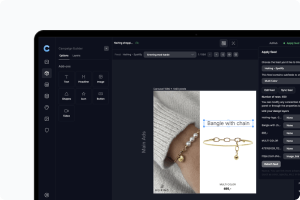
CampaignBuilder lets your product ads automatically adapt to different placements on Meta by supporting multiple ad formats in your feed. When your campaign is built with multiple sizes, you can enable the “Add more formats” option in the product feed, and all variants will be included automatically. This ensures your ads display correctly across feed, stories, reels, and other placements without manual adjustments.
Mockup

Set Up Dynamic Rules and Fallbacks in Your Product Feed

CampaignBuilder lets you control which designs or campaigns are used for your products directly in the product feed setup.
Mockup

Connect Your Catalog to Meta

Once you’ve created your product feed URL in CampaignBuilder, the next step is to connect it to Meta (Facebook & Instagram) via Meta Commerce Manager.
Mockup

Create your first DPA in Campaign Builder

The Catalog Ads feature allows you to enhance your dynamic ads by replacing standard product images with fully designed Catalog Ads created within the platform. This enables you to showcase visually appealing, high-converting ads instead of using plain product images.