The Catalog Ads feature allows you to enhance your dynamic ads by replacing standard product images with fully designed Catalog Ads created within the platform.
This enables you to showcase visually appealing, high-converting ads instead of using plain product images.
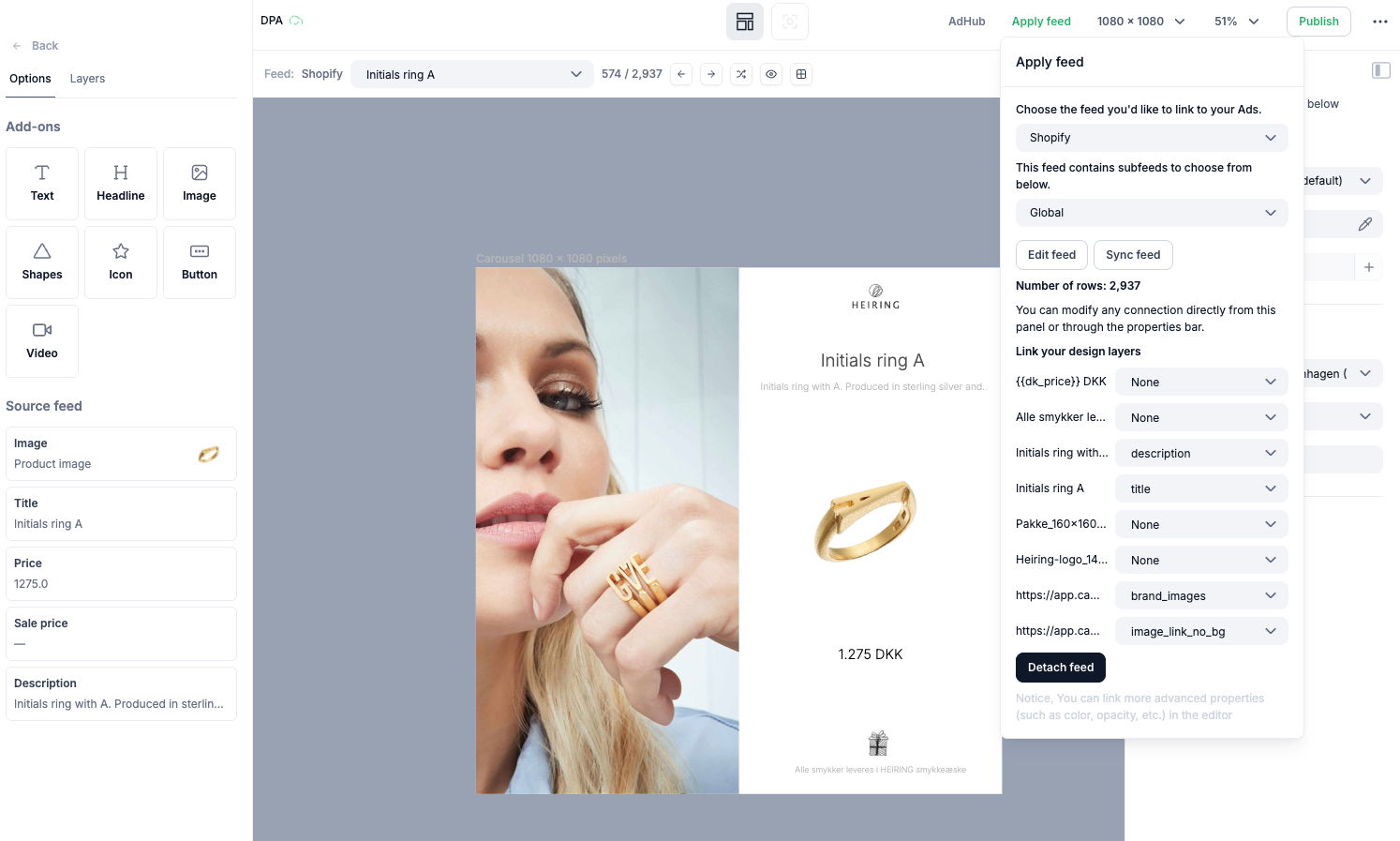
Import Your Feed – First, you need to add a feed using CSV, Google Sheets, JSON/XML, or Shopify.
Product mapping – Select the fields you’d like to be automatically updated with values from your feed.
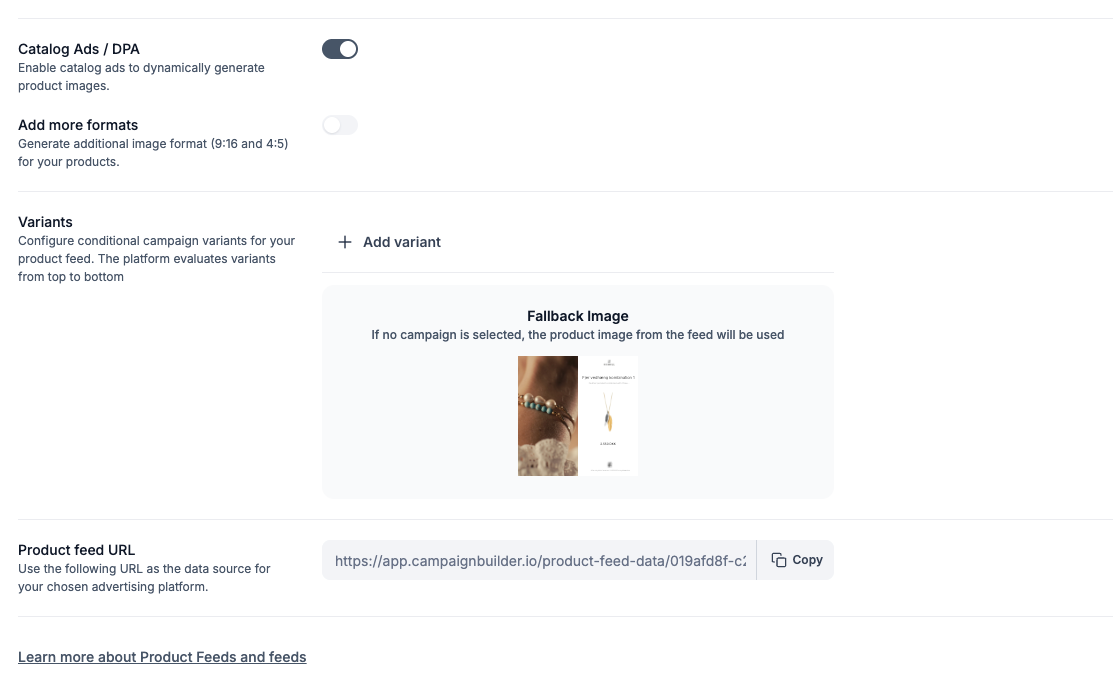
Create a Product Feed – Select the feeds you want to associate with this product feed. Enable Use creative Ads and select the ad you want to use for the specific feed.
You can create multiple variants by linking each one to a specific campaign. This is especially powerful when you want a unique layout for seasonal campaigns - like Christmas - controlled by a defined date range.
Navigate to the Product Feed overview, then click the three dots next to your feed to access and copy the feed URL.
Start using Catalog Ads today and take your dynamic ad performance to the next level! 🚀

