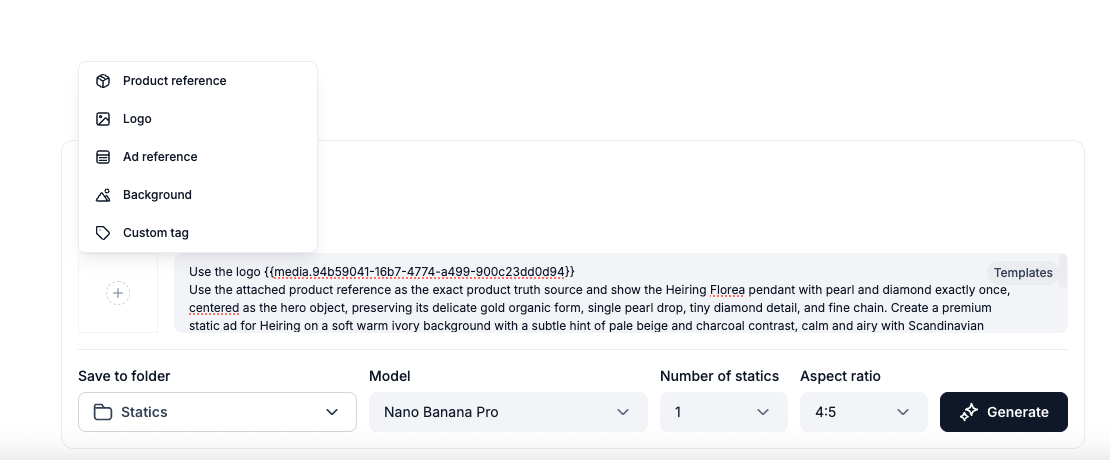
A product reference lets you point the AI to a specific product image you have uploaded, ensuring it uses exactly that image in the generated creative. When you add a product reference, Campaign Builder gives you a unique tag - for example {{media.94b59041-16b7-4774-a499-900c23dd0d94}} - that you can insert anywhere in your prompt.
How to add a product reference
Tip: You can add multiple product references in the same prompt. Each one gets its own unique tag.

Add Your Logo
Adding your logo ensures it appears consistently in your generated statics. Once uploaded, Campaign Builder will incorporate your logo into the creative as part of the generation.
How to add a logo
Tip: Use a PNG file with a transparent background for the cleanest results across different creative styles.
Add an Ad Reference
An ad reference lets you use an existing ad - such as a competitor's creative - as visual inspiration. The AI will not copy the ad directly, but will use it as a style guide when generating your static. This is a useful way to match the creative quality or format of ads you admire.
How to add an ad reference
Note: The AI uses ad references for visual style guidance only. Your brand details, product, and messaging are always drawn from your own inputs.
Add a Background
Campaign Builder offers a selection of background themes you can apply to your static. Choosing a background helps set the mood and context of the creative without you having to source or create one yourself.
How to select a background
Tip: Background themes pair well with product reference images. Try several themes to see which fits your product best.
Create a Custom Tag
A custom tag works just like a product reference tag, but for any image you choose - not just product images. This is useful when you want to reuse a specific visual asset (such as a lifestyle image, a prop, or a branded element) across multiple generations.
When you create a custom tag, Campaign Builder assigns a unique tag to your image that you can insert into any prompt, in any position.
How to create a custom tag
Note: Custom tags persist in your account so you can reuse them across multiple sessions and campaigns.
Tip: Custom tags are great for maintaining consistency across a series of ads - for example, always using the same hero image or branded background element.