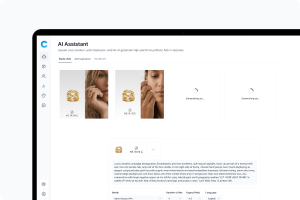
Once you have generated your statics, you can publish them directly from the AI Statics window - without downloading files or switching tools. Campaign Builder connects to your Meta (Facebook and Instagram) ad account and social media scheduler, so you can push creatives live in a few clicks.
Campaign Builder automatically detects which publishing options are available based on the statics you have selected. You will only see the options that match your current selection.
Once your statics are generated, Campaign Builder gives you tools to organize, download, adapt, and reuse them efficiently. This article covers how to save, preview, download, and build on your existing statics.
Campaign Builder gives you fine-grained control over how your statics look. This article covers all the ways you can customize a creative before generating - from product references and logos to backgrounds and competitor ad references.
This article explains the different ways to create a static - from using a ready-made prompt template to writing your own - and how to control how many statics you generate and in what format.
AI Statics lets you generate professional ad creatives in seconds using AI. This article covers
everything you need to get up and running - from building your Brand DNA to managing your
AI credits