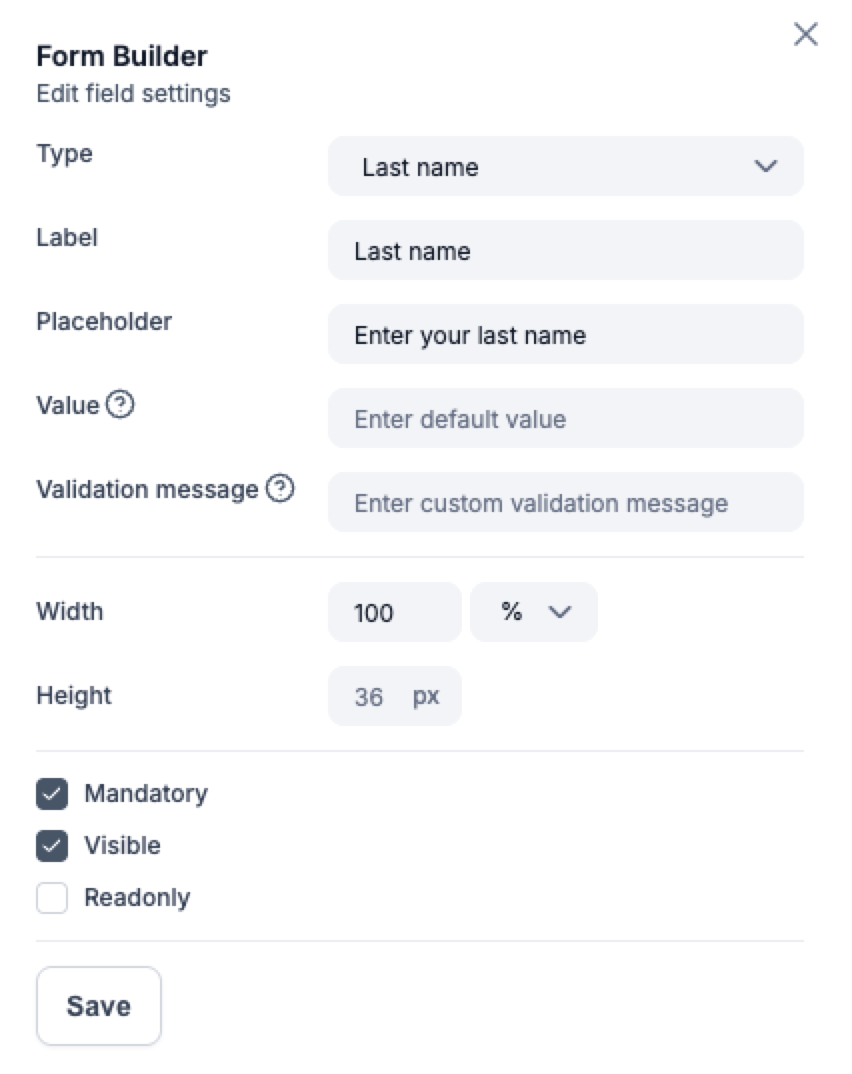
Every form starts with a few standard fields, such as name and email, but you can customize these to fit your needs.
How to add fields
- Open your form campaign.
- Go to the Build section.
- Click the Form layer and select Add field.
- Choose the field type (text, dropdown, checkbox, etc.) and enter a label.
- Optionally set placeholders, make the field required, or set validation rules.
Managing existing fields
- Reorder fields by dragging them within the form editor.
- Rename or delete fields directly from the side panel.
- Edit fields for extra settings
Tip: Keep your forms short and focused - fewer fields usually means higher conversion rates.