Campaign Builder Help Center

Forms

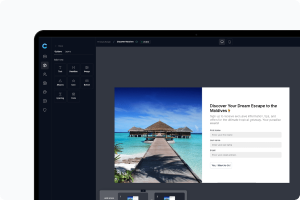
Easily collect customer information with simple, intuitive forms. Streamline lead capture with your campaigns.

Mockup

Limiting or Scheduling Responses

Sometimes you may want to control when and how your form collects data.
Mockup

Managing Form Campaigns

As your library of forms grows, Campaign Builder makes it easy to stay organized.
Mockup

Form Insights and Analytics

Use the built-in analytics dashboard to measure your form’s performance and optimize results.
Mockup

Publishing Your Form

When your form is ready, it’s time to publish and share it.
Mockup

Design and Layout Options

Your form’s appearance can be fully customized to fit your brand.
Mockup

Adding and Managing Form Fields

Every form starts with a few standard fields, such as name and email, but you can customize these to fit your needs.
Mockup

Getting Started with Forms

The Form Builder in Campaign Builder lets you easily collect leads, signups, or feedback directly from your audience. Forms can be published as standalone links or embedded on your website.
Mockup

Understanding Custom Fields in Forms

When creating forms in Campaign Builder, you can add custom fields to collect the exact information you need from your visitors. These fields can be configured to store data in two different ways — Contextual data and Non-contextual data. Understanding the difference is important for how your data is organized and used across campaigns.