Campaign Builder Help Center

Popups

Capture attention and grow your audience with customizable popups. Display targeted messages that convert.

Mockup

Popup Triggers and Conditions in Campaign Builder

Popups in Campaign Builder help you capture attention at the perfect moment -whether you’re growing your email list, promoting a discount, or nudging visitors to complete a purchase. With flexible triggers and conditions, you control exactly when and where your popup appears.
Mockup

Adding an Overlay to Your Popup

An overlay is a simple yet powerful design feature that helps your popup stand out. By dimming or coloring the background behind the popup, the visitor’s focus is drawn directly to your message, reducing distractions and making the call to action clearer.
Mockup

What Is a Teaser and How It Works

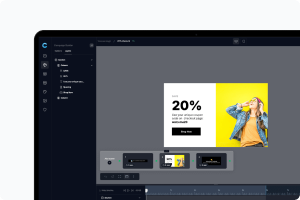
Sometimes visitors aren’t ready to interact with a popup right away. That’s where teasers come in. A teaser is a small, subtle element - often a compact bar, icon, or message - that sits quietly on the page until the user decides to engage with it. Instead of showing the full popup immediately, the teaser invites curiosity and provides a less intrusive way to capture attention.
Mockup

Optimizing Your Popup for Desktop and Mobile Views

A popup that looks great on one device but clunky on another can quickly ruin the user experience. That’s why it’s important to make sure your design works seamlessly across both desktop and mobile. With responsive editing, you can fine-tune how your popup appears on different screens and create a smooth experience for every visitor.
Mockup

Structuring Your Popup with Sections and Columns

Designing a clean, engaging popup isn’t just about adding content - it’s about how you organize it. Using a structured layout with sections and columns gives you the visual clarity and responsiveness needed for modern audiences.
Mockup

Building a Custom Popup from a Blank Template

Sometimes pre-designed templates can speed things up, but there are moments when you need complete creative freedom. That’s when starting with a blank popup template is the right choice. It gives you the flexibility to design a popup from the ground up, tailored entirely to your goals and brand identity.
Mockup

Where Does Your Collected Lead Data Go?

When visitors interact with your popups and submit their information, it’s important to know where that data is stored and how you can access it. In your platform, all collected signups are organized in a dedicated Audience menu, which serves as the central hub for managing your leads.
Mockup

Sharing Your Popup for Team Review with a Public Link

Collaborating on popups is easier when you can share a live preview with your colleagues. Many platforms offer a public sharing link that allows others to review and approve your popup before it goes live, ensuring everyone on your team can provide feedback or confirm that the design and content are ready.
Mockup

Getting Started: Creating Your First Popup

Creating your first popup may seem intimidating at first, but with the right guidance, it’s a straightforward process that anyone can handle- no coding required. To begin, log in to your account and make sure your website has the embed code installed. This ensures that popups will appear seamlessly wherever you want them to. If you place your popups in folders, you are able to download a script for each folder.