Campaign Builder Help Center

Audience

Create, manage, and reuse audiences across your campaigns

Mockup

Importing Profiles into Campaign Builder

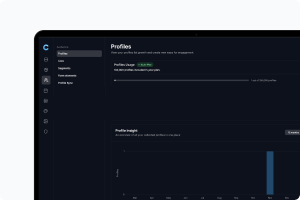
Profile Sync makes it easy to bring all your customer and subscriber profiles from Mailchimp, Klaviyo, or Shopify directly into Campaign Builder. Once your profiles are imported, you can use every engagement tool available - SMS campaigns, popups, forms and more. It’s the simplest way to keep your audiences connected across channels and activate them quickly inside one platform.
Mockup

Exporting Profiles to External Providers

Your Audience does not exist in isolation. Often, you will want to use your lead data in other marketing tools such as Mailchimp or Klaviyo. With the platform’s workflow builder, exporting profiles to these external providers is quick and seamless.
Mockup

Using Predefined and Custom Fields in Your Audience

The platform comes with a range of predefined fields such as name, email, phone number, and signup date. These fields cover the most common types of data you will collect from leads, making setup fast and straightforward.
Mockup

Customizing Which Fields Are Displayed in Your Profile List

Your Audience may contain a wide range of data about each lead, but sometimes you only want to see the most relevant details at a glance. The platform allows you to choose exactly which fields are displayed in your profile list.
Mockup

Best Practices for Audience Management

Managing your Audience effectively is the key to running successful campaigns. A disorganized database makes it harder to target the right people and can lead to missed opportunities.
Mockup

Viewing and Editing Profiles

Every profile in your Audience contains valuable information. By opening a profile, you can see when and where the contact signed up, which form they came through, and any additional details they provided.
Mockup

Using the Workflow Builder with Your Audience

The workflow builder is the engine that connects your forms with your Audience. Whenever someone signs up, the workflow builder processes the data and applies the rules you’ve set. This could mean adding the lead to a list, assigning tags, or placing them in a segment.
Mockup

Adding Profiles Manually

Not all leads will come through your forms. Sometimes you might collect signups at a physical event, receive contact details through customer service, or migrate data from another tool. In these cases, you can add profiles manually to your Audience.
Mockup

Working with Segments

Segments give you more flexibility than lists because they are dynamic. Instead of manually assigning leads, you create rules that automatically include or exclude contacts based on their attributes or behavior.
Mockup

Creating and Managing Lists

Lists are a straightforward way to keep your Audience organized. They allow you to group contacts together for specific purposes, such as newsletters, event promotions, or product updates. Each time a new lead enters your Audience, you can decide whether they should be added to a list automatically or assign them later.
Mockup

Introduction to Your Audience

Your Audience is the foundation of your lead management inside the platform. Whenever a visitor signs up through one of your forms, their profile is automatically created in the Audience. Think of it as your central database for every contact collected.