How to A/B Test Meta DPA Designs with Design Variants
Run two catalog ad designs side by side on the same products, and switch between them in Ads Manager with the Campaign Builder Chrome extension.

In Campaign Builder you can add several design variants to the same product feed, for example a clean product frame and a version with a price badge. With the free Campaign Builder Chrome extension, you then choose which variant each Advantage+ catalog ad shows, directly in Meta Ads Manager. Put variant A on one ad and variant B on another, and you are A/B testing your DPA design without building a new feed or catalog.
Why DPA designs are hard to test
Dynamic product ads pull their creative from your catalog. Each product has one main image, so every ad that uses the catalog shows the same design. That works fine until you want to know whether a different design would sell more.
The usual workarounds are slow. You build a second feed and catalog, you swap images through a supplementary feed, or you change the template and compare this month with last month. The first two take setup and leave you with two sets of data to keep in sync. The last one isn't really a test, because everything else changed too: season, budget, audience and competition.
What you want is simple. The same products, the same audience, the same budget, and two designs running side by side.
Design variants vs. product variants
A quick note on words, because "variants" means two different things in e-commerce:
- Product variants are sizes, colors and other versions of a product in your feed. We cover them in Product feed variants: when to merge them and when not to.
- Design variants are different versions of your ad design for the same product. This post is about these.
How design variants work in Campaign Builder
1. Build your variants
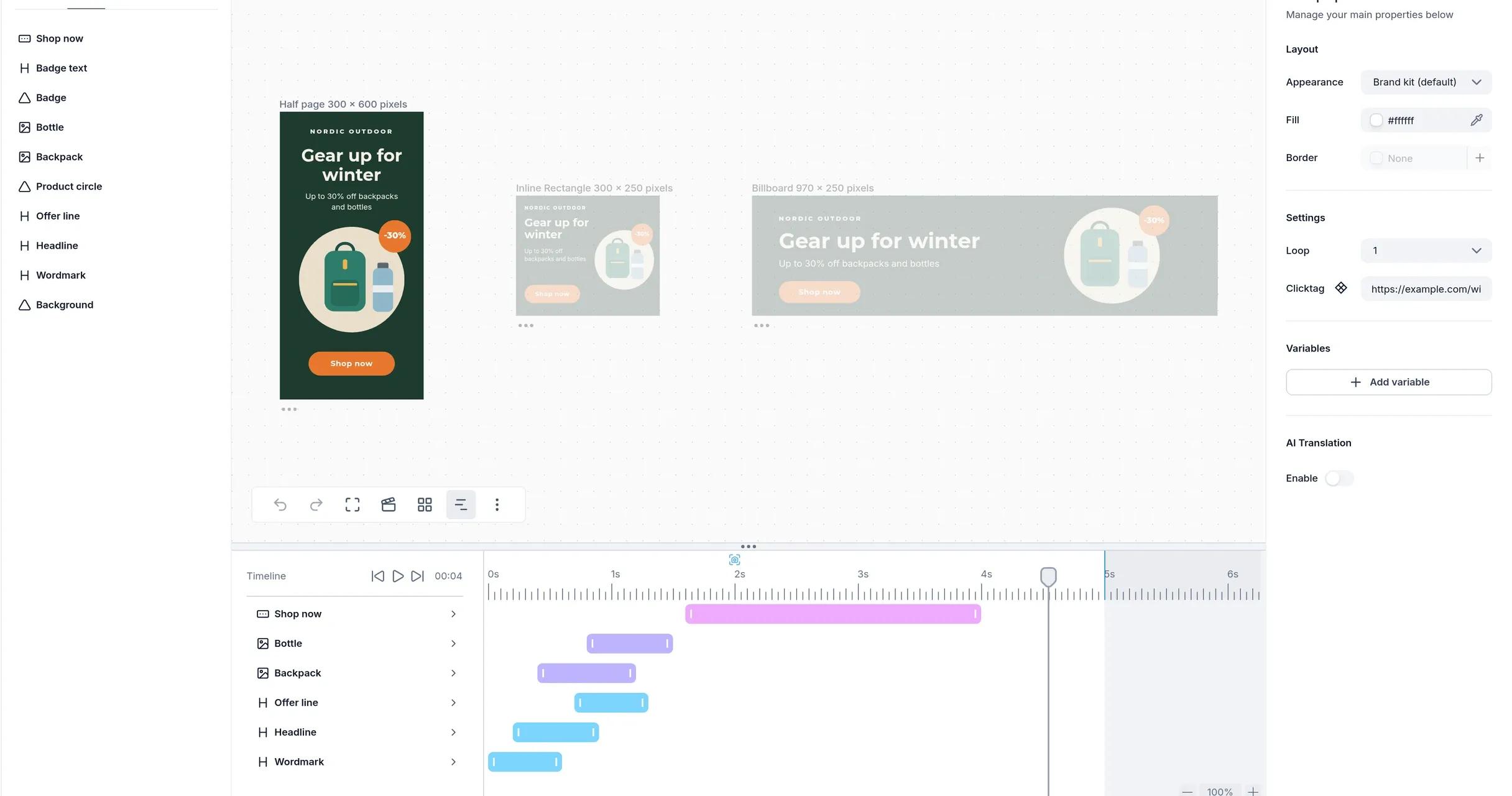
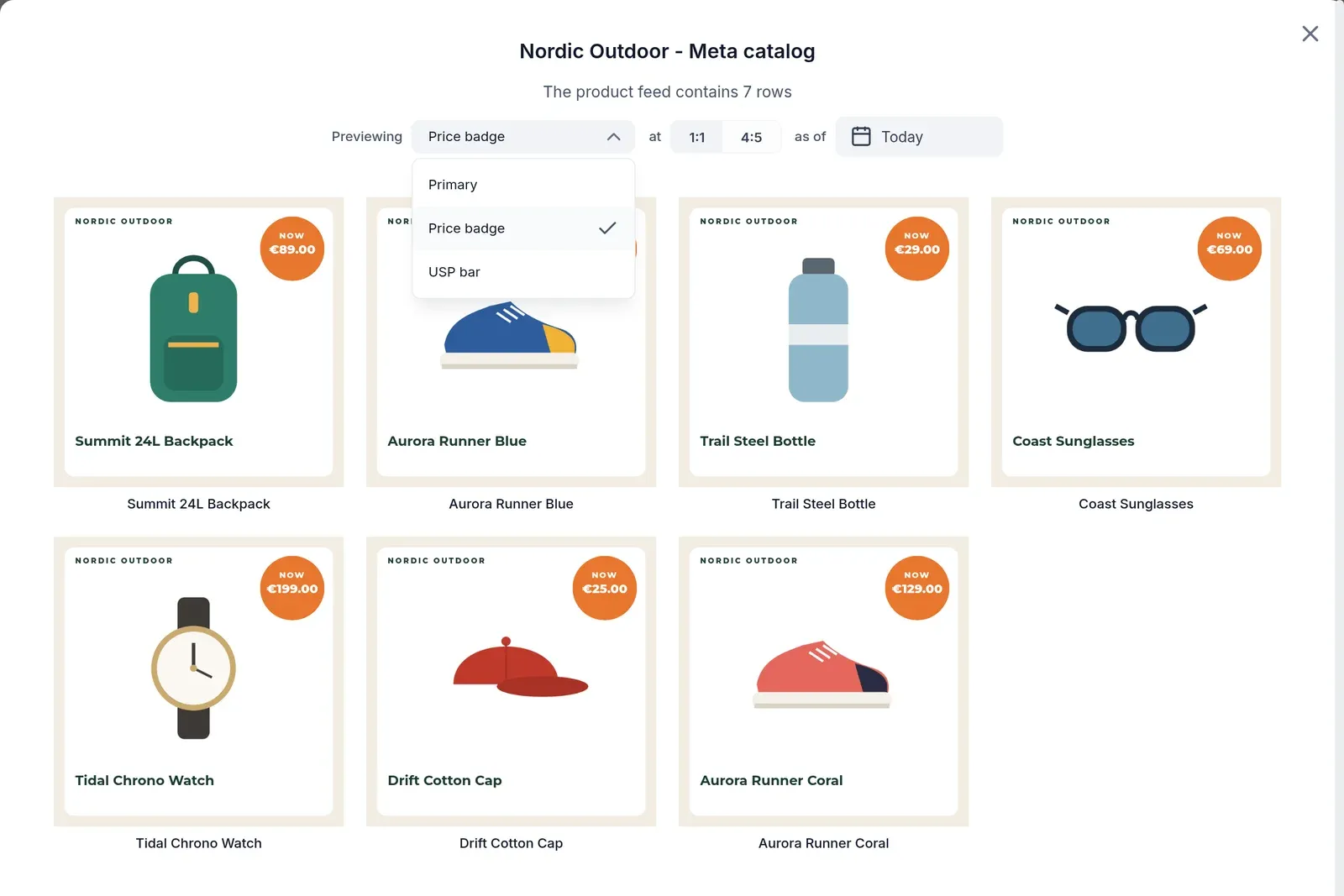
In the catalog ads editor, you design a template once and add variants to it. A variant can change anything you can design: layout, colors, price display, USP bar, badges, and formats such as 1:1, 4:5, 9:16 and video. Every variant is applied to every product in the feed. One extra variant means one extra design for the whole catalog, not hundreds of new image files.
2. Export them with your feed
When your feed has a Meta catalog channel, Campaign Builder exports all variants with the feed and tags each one, so Meta knows which design belongs to which variant. Your Meta catalog keeps loading products from the Campaign Builder feed as before. You manage the feed itself in feed management.
3. Choose the variant per ad in Ads Manager
Install the Campaign Builder Chrome extension and open a catalog ad in Meta Ads Manager. A Campaign Builder panel appears in the ad editor with your design variants. Choose one, and the extension updates the ad to show that design. No spreadsheets, no feed exports and no re-uploading of creatives.
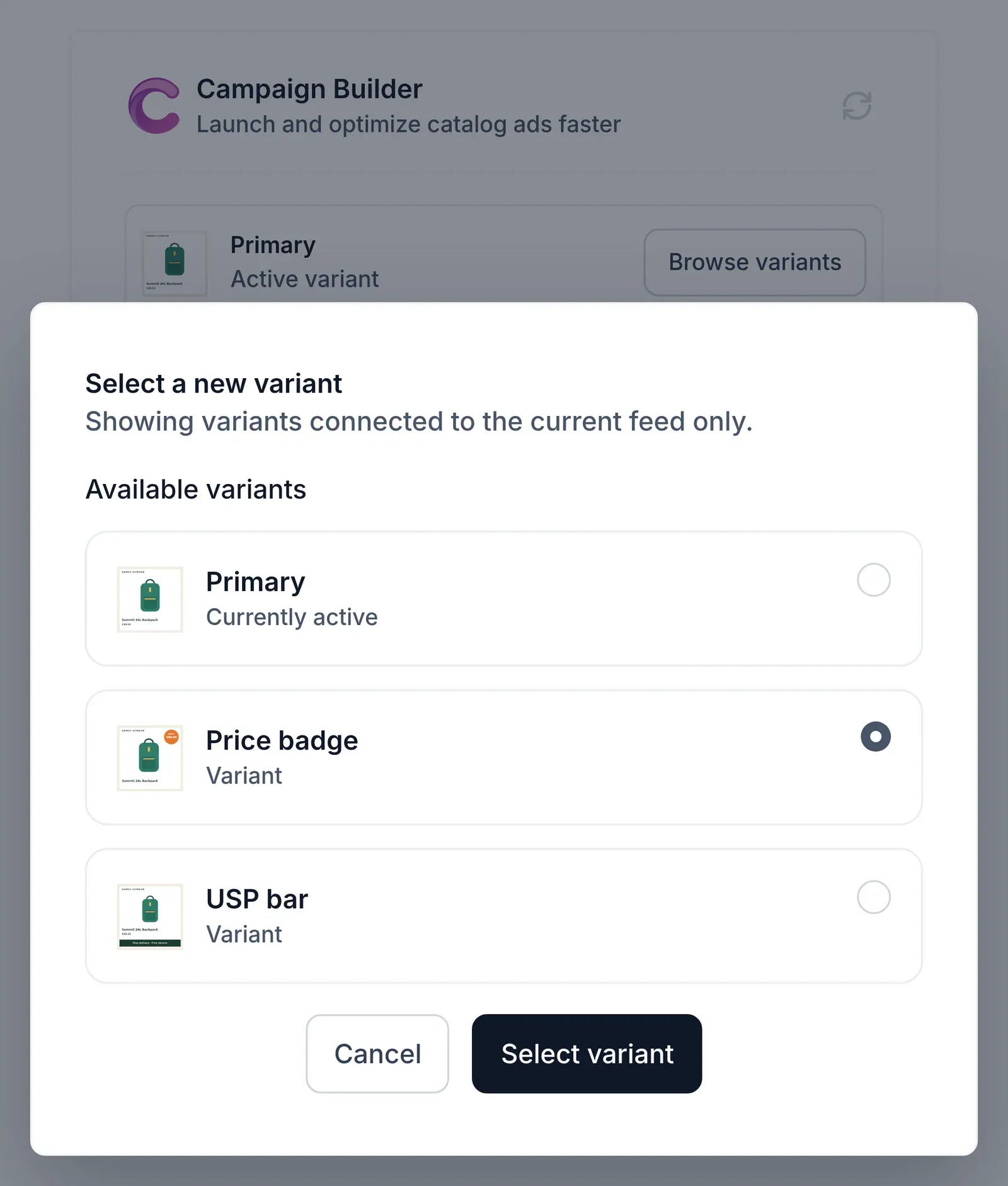
The extension is free, and it only runs on Meta Ads Manager and Business Manager.
How to A/B test DPA designs with variants
Set up the test
- Decide what you are testing. Pick one change, for example "price badge vs. no price badge". If two variants differ in five ways, you won't know which change made the difference.
- Pick one main metric. For retargeting DPAs, that is usually cost per purchase or ROAS. CTR is a useful early signal, but a design that gets more clicks doesn't always sell more.
- Create two identical ad sets. Same catalog, product set, audience, placements and budget. The only difference is the design.
- Assign the variants. Open the ad in each ad set and choose variant A in one and variant B in the other, in the Campaign Builder panel.
- Use Meta's A/B test for a clean split. If you put both ads in the same ad set, Meta usually moves most of the delivery to one of them quickly. That is good for performance but bad for a fair test. Meta's A/B test feature splits the audience, so each version gets a comparable share.
- Let it run. Give the test enough time and conversions to read the result, and don't switch variants while it is live.
Roll out the winner
When one design wins, open your other catalog ads and switch them to the winning variant. It takes a few clicks per ad, and your product data, audiences and campaign structure stay as they are. Then pick the next thing to test.
What to test first
Good tests change one visible thing that could affect the buying decision:
- Price display: price only, price with the before-price, or a sale badge
- USP bar: free delivery, free returns or fast shipping
- Social proof: star rating or number of reviews on the image
- Frame and background: brand color vs. a neutral background, or the product cut out with AI background removal vs. the original photo
- Format: square only vs. adding 4:5 and 9:16 versions for Stories and Reels (see the social media image sizes cheat sheet)
- Image vs. video: a static design vs. a video DPA
For more design ideas, see how to customize dynamic product ads.
For agencies
Variants make it easy to run the same test across several clients and build your own playbook. If a USP bar beats a plain frame for three fashion clients, you have a strong starting point for the fourth. And because the switch happens in Ads Manager, the media buyer can change designs without waiting for a designer to rebuild the feed.
For in-house teams
Keep seasonal designs, such as Black Friday or Christmas, ready as variants. Switch the relevant ads when the campaign starts and switch them back afterwards. If you prefer it to happen automatically, Campaign Builder can also schedule design changes.
Settings that can override your design
Meta has a few automatic settings that can replace or rearrange the design you chose. Before you start a test, make sure your ads aren't affected:
- Collection format shows each product's default catalog image and ignores your design.
- Multi-advertiser ads can crop or resize the creative and show the wrong variant.
- Image touch-ups must be on if your variant has 4:5 or 9:16 formats. Otherwise Meta crops the square image.
- Allow product video must match your variant: on if the variant has video, off if it is image-only.
The extension checks these every time you open an ad and lists any problems it finds. Most of them are fixed with one click.
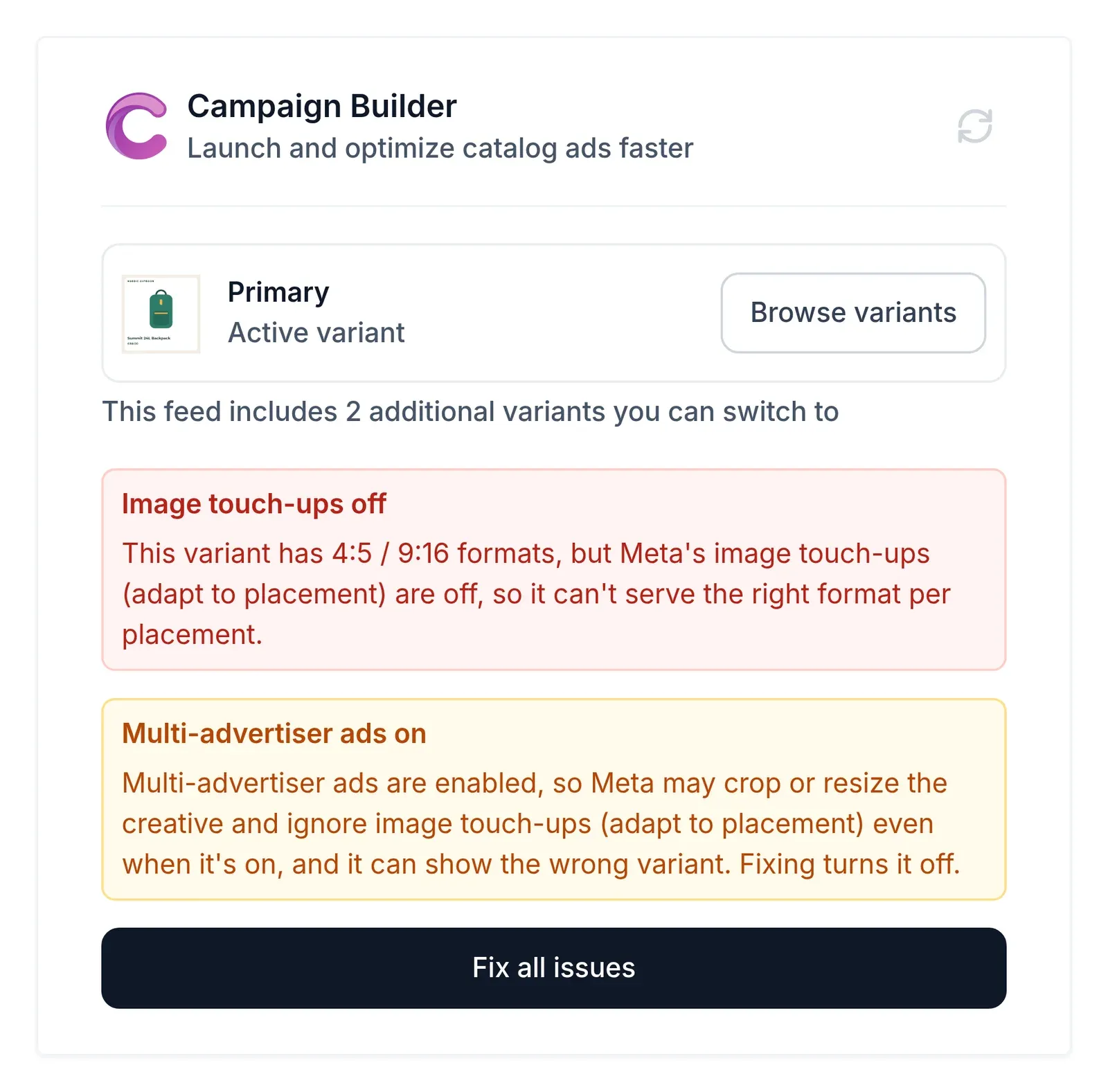
One thing to know: switching a variant or fixing a setting counts as an edit in Meta and can restart the learning phase. Plan your switches, and avoid them in the middle of a test. If an ad seems stuck after a change, see why your DPA campaign isn't spending.
What you need
- A Campaign Builder account with a product feed and at least two design variants
- A Meta account connected in Campaign Builder, and a Meta catalog that loads products from the Campaign Builder feed
- Advantage+ catalog ads. Variant switching doesn't work on Collection ads or Dynamic Creative ads.
- The free Chrome extension, in Google Chrome
New to dynamic product ads? Start with what are dynamic product ads.
FAQ
Can I A/B test DPA designs on Meta without a second catalog?
Yes. In Campaign Builder, all design variants live in the same feed and catalog. You choose which variant each ad shows with the Chrome extension, so two ads that use the same catalog can show different designs.
Does switching a variant restart the learning phase?
It can. Meta treats the switch as an edit to the ad, which can restart the learning phase. Set your variants before you launch a test, and roll out a winner at a time when a short dip in delivery is acceptable.
Which Meta ads support variant switching?
Advantage+ catalog ads. The extension doesn't switch variants on Collection ads, Dynamic Creative (DCO) ads or ads that don't use a catalog, and it tells you when an ad isn't eligible.
Is the Chrome extension free?
Yes, the extension is free. You need a Campaign Builder account to use it, and every plan starts with a 30-day free trial.
What is the difference between a design variant and a product variant?
A product variant is a version of the product itself, such as a size or color, and it lives in your product data. A design variant is a version of the ad design, and it is applied to every product in the feed.
Should I judge the test on CTR or ROAS?
Use the metric that matches the campaign goal. For sales campaigns, that is cost per purchase or ROAS. CTR shows which design gets attention, but not always which one sells.
Try it yourself
Start a 30-day free trial with no credit card and build your first design variants in catalog ads. Plans start at $29 per month, billed annually. Want a head start? Get a free DPA design made for your brand. Then install the Chrome extension and run your first test.
Last updated: November 28, 2026. Chrome extension details checked on the Chrome Web Store listing, November 2026.