Published 28 Dec 2025

Streamline Marketing Campaigns with Automation Workflows

Build powerful automation workflows with Campaign Builder to save time, engage customers, and optimize campaigns for higher conversions.

What Are HTML5 Ads and Why Should You Be Using Them?

What Are Automation Workflows?

Automation workflows are sequences of automated actions triggered by user behavior or predefined rules. They enable marketers to engage customers, capture leads, and nurture prospects without manual effort.

Automation workflows are essential for ecommerce brands, agencies, and in-house marketing teams seeking efficiency and scalable campaign management.

Why Automation Workflows Are Critical

Manual marketing tasks can be time-consuming and prone to errors. Automation workflows allow you to trigger actions such as sending emails, SMS messages, or updating CRM records automatically based on user interactions.

  • Engage leads at the right moment with personalized messaging
  • Reduce repetitive manual tasks and human errors
  • Track and optimize campaigns in real time
  • Scale marketing operations efficiently

How Automation Workflows Work in Campaign Builder

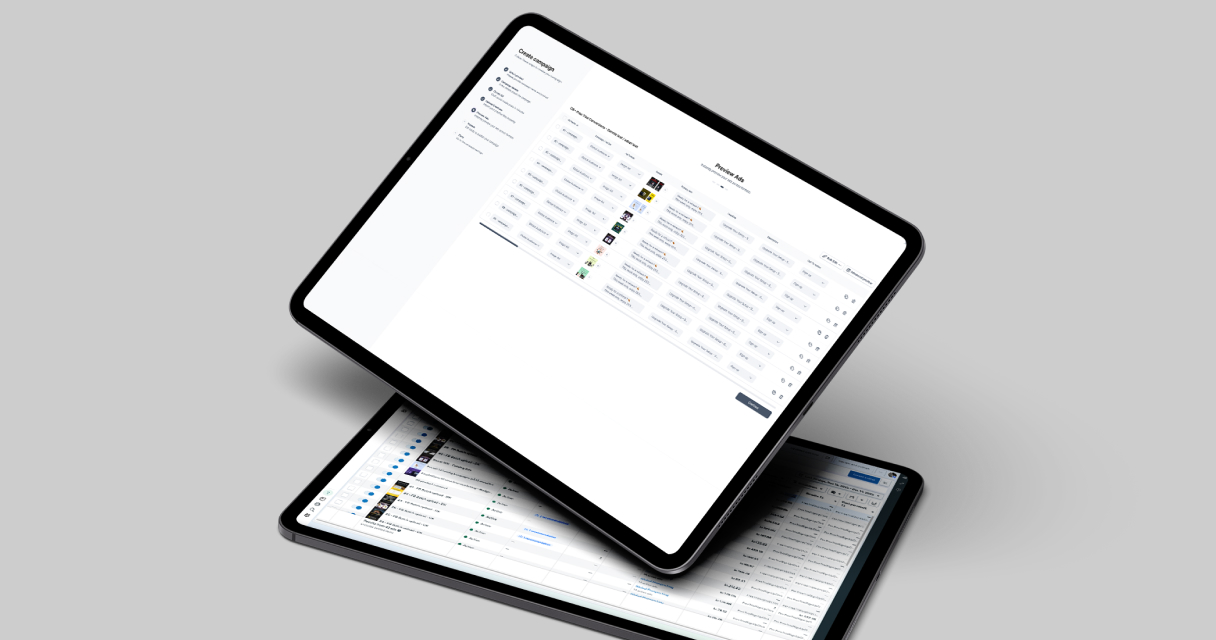
Campaign Builder allows you to design workflows visually using triggers, actions, and conditions. You can integrate forms, popups, emails, SMS campaigns, and product feeds to automate your entire marketing funnel.

Learn more about building workflows on our Automation Workflows page.

Best Practices to Optimize Automation Workflows

  • Map your customer journey: Identify touchpoints and triggers before building workflows.
  • Segment audiences: Use behavior or demographic criteria to deliver personalized messaging.
  • Test and iterate: Monitor workflow performance and adjust triggers, actions, and timing as needed.
  • Integrate with other tools: Connect forms, popups, emails, and SMS campaigns for a seamless experience.
  • Measure ROI: Track leads, conversions, and engagement metrics to optimize workflows.

Use Cases for Automation Workflows

  • Lead nurturing sequences for email and SMS campaigns
  • Cart abandonment recovery and retargeting campaigns
  • Automated welcome sequences for new subscribers
  • Dynamic campaigns triggered by form submissions or user behavior

Built for Efficiency and Scale

Automation workflows in Campaign Builder are designed for simplicity and scalability. Create multiple workflows for different campaigns, segments, and triggers without duplicating effort.

Why Choose Campaign Builder for Automation Workflows

Campaign Builder unifies automation, form creation, and campaign management in one platform. This allows marketers to save time, improve accuracy, and deliver highly personalized campaigns that drive measurable results.

Get started with Automation Workflows or explore related tools like Forms and SMS Marketing.
Frequently asked questions

Everything you need to know about Workflows
What are automation workflows?
Automation workflows are sequences of automated marketing actions triggered by user behavior or pre-defined rules, designed to engage leads and streamline campaigns.
Can I create automation workflows without coding?
Yes. Campaign Builder provides a visual drag-and-drop workflow builder for creating automated sequences without coding.
How can automation workflows improve campaign performance?
Workflows reduce manual tasks, deliver personalized messaging at the right moment, improve engagement, and help scale marketing operations efficiently.
What types of campaigns can be automated?
You can automate email campaigns, SMS sequences, lead nurturing, cart abandonment recovery, popups, and dynamic campaigns based on user behavior.
Can automation workflows integrate with other Campaign Builder tools?
Yes. Workflows integrate seamlessly with Forms, Popups, SMS Marketing, and other platform features for a unified, automated marketing strategy.

Latest blog posts

Fresh Strategies to Get the Most from Our Ad Platform
Use Pixabay

Facebook Ads Batch Upload

Save time - create ads 10× faster with Campaign Builder Ads Batch upload.
Use Pixabay

Campaign Mockups

Digital campaigns are only as strong as the visuals that support them.
Use Pixabay

InMobile Integration

Easily integrate inMobile with Campaign Builder to send targeted SMS campaigns
Use Pixabay

Faster campaigns, better visuals

Access top free stock images and videos, all ready to use inside Campaign Builder.
How to Avoid Feed Issues

How to Avoid Feed Issues

From missing attributes to outdated data, feed problems can hurt your campaigns. Here is how to prevent them.
Facebook Advantage+ Vs CB

Facebook Advantage+ Vs CB

Facebook Advantage+ is great - until you need full creative control, feed logic, or scalable workflows across clients.
Why Use HTML5 Ads?

Why Use HTML5 Ads?

In digital marketing, attention is everything. Static ads are outdated - HTML5 ads are dynamic, interactive, and the new gold standard.
Stop Managing Ads in Silos

Stop Managing Ads in Silos

Our SaaS ad platform empowers modern marketing teams to build, launch, and optimize high-performing campaigns across every channel.
Catalog Ads Are a Growth Gold.

Catalog Ads Are a Growth Gold...

Most Facebook Catalog Ads are underperforming. Not because the format isn’t powerful but because marketers are settling for the default.
How to Perfect Your Shopping Feed

How to Perfect Your Shopping F...

With over two decades in product and digital commerce management, I've witnessed how the smallest technical details can make or break...
Why Adapting to Facebook settings

Why Adapting to Facebook’s N...

If you have been running Meta ads for any length of time, you have already noticed how fast things shift from targeting policies to creative formats...
Create More Campaigns. In Less Time

Scale Campaigns Like Never Before

Turn your creation process into a scalable, automated engine. Build hundreds of high-performing campaigns in minutes.