However, running paid ads effectively requires more than simply creating a campaign. Without best practices in creative strategy, audience targeting, and optimization, performance can fall short of expectations and budget can be wasted.
In this guide, we’ll explore practical best practices for social media paid ads, focusing on creative planning, audience segmentation, measurement, and scaling. We’ll also highlight how Campaign Builder supports efficient execution for teams of any size.
Understanding Your Objective
The foundation of any successful paid ad campaign is a clearly defined objective. Whether the goal is driving sales, generating leads, increasing website traffic, or building brand awareness, the objective determines the creative approach, targeting strategy, and key performance metrics.
Aligning campaigns with business objectives ensures that every ad is purposeful. Without this alignment, campaigns may achieve engagement metrics but fail to deliver real value to the organization.
Creative Strategy and Ad Design
Creative assets are the face of your paid ads. High-quality visuals, compelling copy, and clear calls-to-action are essential to capture attention and drive engagement.
Best practices include:
- Using high-resolution images or video that represent your brand accurately
- Writing concise, clear, and compelling copy that communicates the offer or value proposition
- Maintaining consistent branding across all ads to enhance recognition
- Testing multiple creative variations to identify what resonates best with your audience
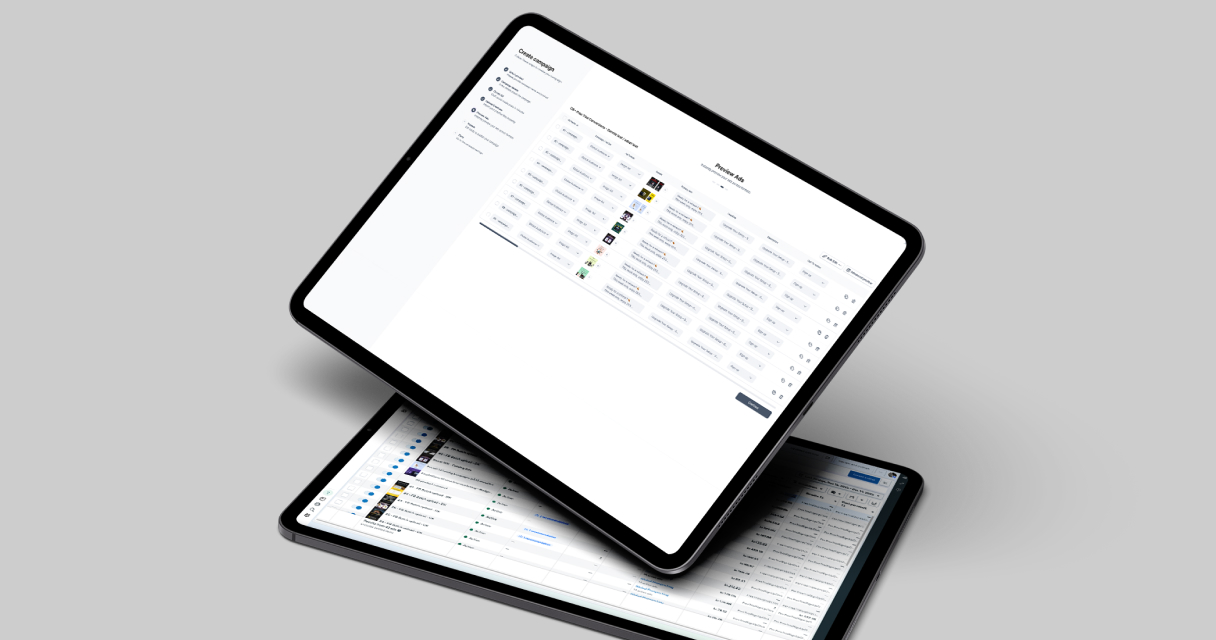
Campaign Builder streamlines creative management, allowing teams to create, edit, and manage multiple ad creatives efficiently. Templates and bulk editing tools enable faster iteration and consistency across campaigns.
Audience Targeting and Segmentation
Effective audience targeting ensures that your ads reach the right people at the right time. Social media platforms provide sophisticated targeting options, including demographics, interests, behaviors, and custom audiences.
Segmentation best practices include:
- Creating audiences based on previous interactions, such as website visits or content engagement
- Separating high-intent users, such as cart abandoners, for retargeting campaigns
- Testing new audiences in smaller batches before scaling
- Monitoring audience overlap to avoid showing multiple ads to the same users unnecessarily
Campaign Builder supports audience organization and targeting by centralizing assets and creative workflows, making it easier to apply the right creative to the right audience segment at scale.
Optimizing Ad Delivery
Paid ad performance is influenced not only by creative and targeting but also by delivery optimization. Optimization involves monitoring metrics such as impressions, click-through rates, engagement, and conversions to adjust campaigns for maximum efficiency.
Key practices include:
- Testing multiple creative and copy variations to determine top performers
- Pausing underperforming ads to focus budget and attention on high-performing creatives
- Adjusting targeting parameters based on performance trends
- Analyzing frequency to prevent audience fatigue and declining engagement
By combining performance data with bulk editing and creative management in Campaign Builder, teams can quickly iterate and improve campaign effectiveness.
Measuring Success
Measurement is crucial to understand whether paid ads achieve the intended outcomes. Tracking key metrics aligned with campaign objectives ensures that efforts drive meaningful results.
Common measurement strategies include:
- Conversion tracking to assess the real impact on sales or leads
- Engagement metrics to understand audience interaction and resonance
- Cost metrics such as cost per click (CPC) and cost per acquisition (CPA) to evaluate efficiency
- Comparing results across creative variations and audience segments to identify best practices
Structured reporting and analytics in Campaign Builder make it easy to monitor performance, identify trends, and implement improvements efficiently.
Scaling Paid Ads
Scaling requires balancing volume with quality. Reusing templates, bulk updating assets, and applying consistent creative standards allows campaigns to grow without introducing errors or inconsistencies.
Segmenting audiences, testing new creative, and monitoring performance ensures that scaling efforts remain profitable. Campaign Builder supports scaling by enabling efficient bulk workflows, allowing teams to manage larger campaigns without increasing manual work.
Conclusion
Social media paid ads offer powerful opportunities for precise targeting and measurable results. Success depends on a combination of clear objectives, strong creative, effective targeting, ongoing optimization, and consistent measurement.
By applying best practices and leveraging tools like Campaign Builder, teams can create scalable, high-performing campaigns that drive real business outcomes. Structured workflows and bulk management enable marketers to focus on strategy and growth rather than manual execution.

.jpg)