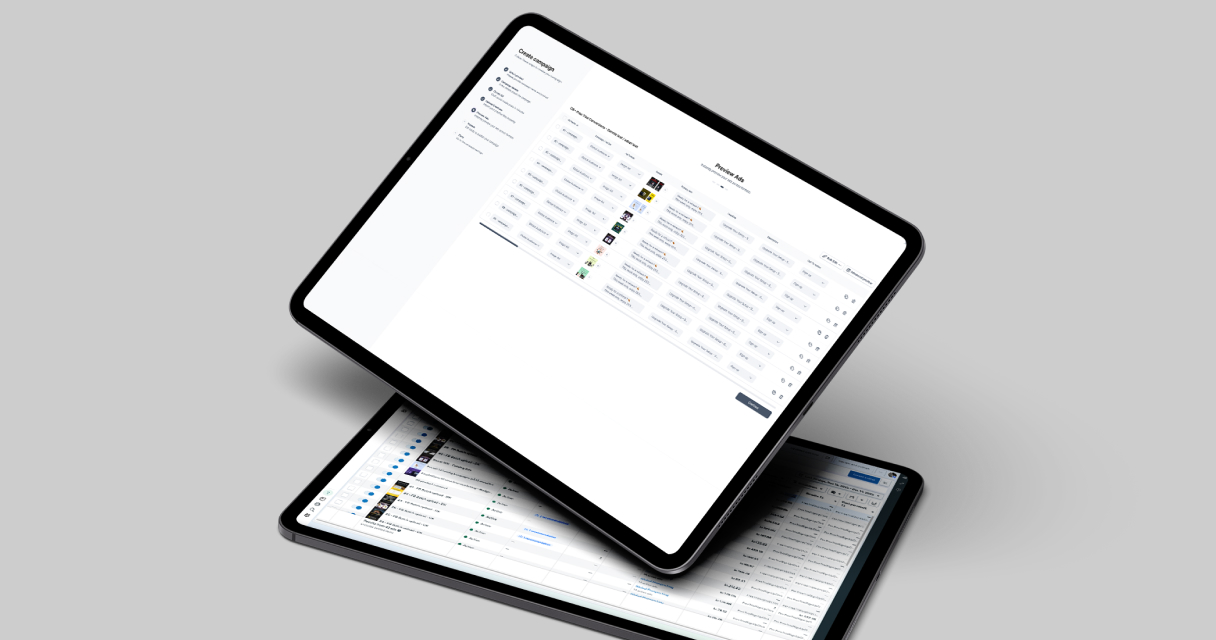
Many marketing teams struggle with slow ad production due to fragmented workflows, manual processes, and inefficient collaboration. Campaign Builder is designed to eliminate these bottlenecks by centralizing creative workflows and enabling batch operations that significantly reduce production time.
This article explains how Campaign Builder helps teams streamline ad production, minimize manual work, and accelerate time to market without compromising quality.
Why Ad Production Is Often Slow
Traditional ad production workflows involve multiple tools, manual uploads, and repetitive steps. As campaign volume increases, these inefficiencies compound and slow teams down.
Common causes of slow ad production include:
- Manually creating ads one by one
- Switching between design tools, spreadsheets, and ad platforms
- Managing approvals through email or chat
- Duplicating work across platforms and formats
These challenges make it difficult to scale advertising output efficiently.
Centralizing Creative Workflows
Centralization is the foundation of faster ad production. Campaign Builder brings creative assets, copy, and workflows into a single environment, reducing the need to jump between tools.
By centralizing workflows, teams can:
- Access all creative assets in one place
- Reuse approved visuals and copy
- Maintain clear structure and version control
- Reduce miscommunication and rework
This approach shortens production cycles and improves overall efficiency.
Batch Uploads and Bulk Editing
Batch uploads are one of the most effective ways to reduce ad production time. Instead of creating each ad individually, teams can upload multiple creatives and variations at once.
Benefits include:
- Launching large volumes of ads quickly
- Applying consistent structure across campaigns
- Reducing repetitive manual tasks
- Minimizing the risk of setup errors
Bulk editing further accelerates workflows by allowing teams to update copy, visuals, or metadata across multiple ads simultaneously.
Using Templates to Speed Up Production
Templates eliminate the need to start from scratch for each new ad. By defining layouts, brand elements, and formatting rules, templates ensure consistency and speed.
Campaign Builder enables teams to:
- Create reusable templates for common ad formats
- Standardize creative structure across campaigns
- Reduce design time for new ads
- Maintain brand consistency at scale
Templates allow teams to focus on messaging and strategy rather than repetitive design work.
Reducing Revision Cycles
Revisions can significantly slow down ad production if feedback is unclear or workflows are unstructured. Centralized workflows help teams manage revisions more efficiently.
Best practices include:
- Using clear naming conventions for versions
- Keeping feedback centralized and actionable
- Applying changes in bulk where possible
- Testing small batches before scaling
Campaign Builder supports these practices by making it easier to manage versions and apply updates efficiently.
Scaling Output Without Increasing Headcount
One of the biggest advantages of reducing ad production time is the ability to scale output without increasing team size. Efficient workflows allow teams to produce more ads with the same resources.
Campaign Builder enables this by:
- Automating repetitive tasks
- Reducing manual setup time
- Improving collaboration efficiency
- Allowing teams to focus on strategy and optimization
This scalability is especially valuable for agencies and fast-growing marketing teams.
Maintaining Quality While Moving Faster
Speed should not come at the expense of quality. Structured workflows, templates, and review processes help teams maintain high standards even as production accelerates.
Campaign Builder supports quality control by providing:
- Centralized asset management
- Consistent templates and formats
- Clear workflows for review and approval
- Efficient iteration and optimization
This balance between speed and quality is essential for sustainable advertising success.
Conclusion
Reducing ad production time is critical for staying competitive in digital advertising. Manual workflows and fragmented tools slow teams down and limit scalability.
Campaign Builder enables teams to streamline ad production through centralized workflows, batch uploads, templates, and bulk editing. By adopting these practices, marketing teams can move faster, scale efficiently, and deliver high-quality advertising at speed.

.jpg)