Campaign Builder enables teams to manage multi-channel campaigns efficiently from a centralized platform, streamlining workflows and ensuring consistent messaging. However, multi-channel marketing requires careful planning, strategic execution, and performance monitoring to succeed.
This guide explores how to use Campaign Builder to plan, execute, and optimize multi-channel marketing campaigns effectively.
Why Multi-Channel Marketing Matters
Consumers interact with brands across multiple touchpoints. Focusing on a single channel risks missing opportunities and delivering inconsistent experiences. Multi-channel marketing ensures that your brand remains visible and relevant wherever your audience engages.
Coordinated campaigns provide synergy between channels, reinforcing messaging and increasing the likelihood of conversions. Campaign Builder supports this approach by centralizing campaign management, allowing teams to align messaging, creative, and targeting across all platforms.
Planning Multi-Channel Campaigns
Planning is the foundation of successful multi-channel marketing. Start by defining campaign objectives and identifying the target audience for each channel. Determine how each channel contributes to the overall campaign and map out messaging, timing, and creative requirements.
Key steps in planning include:
- Setting clear objectives for each channel and overall campaign goals
- Segmenting audiences to deliver relevant messages across channels
- Developing a content calendar to schedule posts, SMS campaigns, and ads
- Identifying which creative assets can be reused or adapted for multiple channels
Using Campaign Builder’s calendar and scheduling tools allows teams to visualize and coordinate content, reducing overlaps and ensuring consistent messaging.
Executing Multi-Channel Campaigns
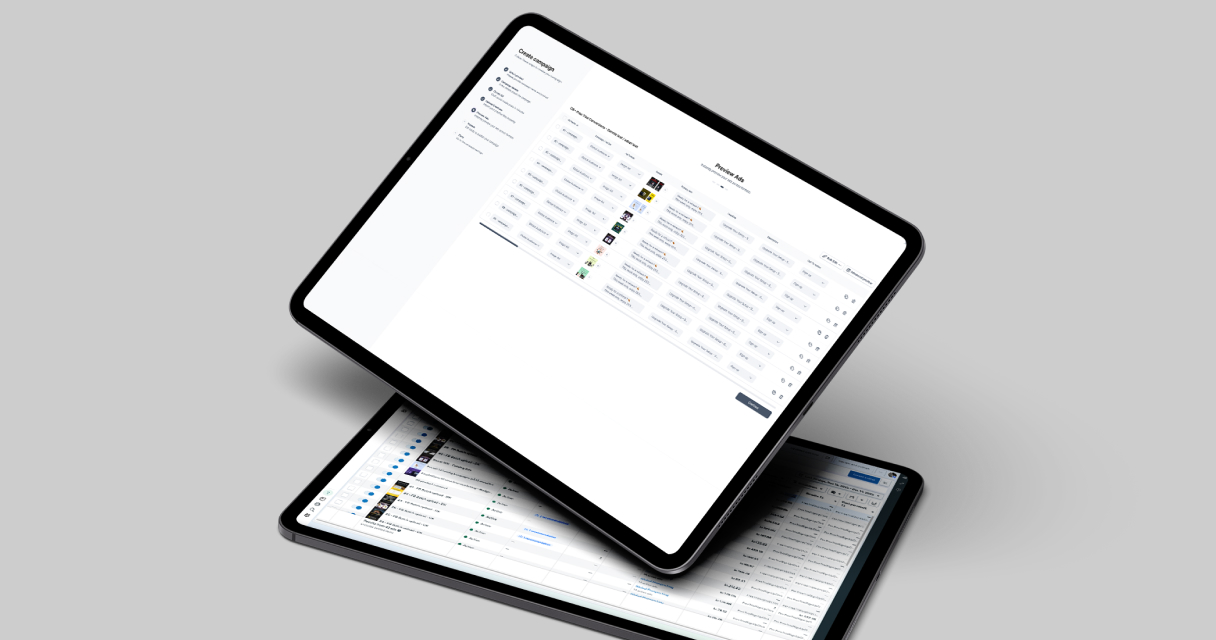
Execution involves coordinating creative, messaging, and timing across channels. Campaign Builder supports batch uploads for Meta ads, catalog campaigns, social media scheduling, and SMS campaigns, simplifying execution at scale.
Best practices for execution include:
- Using templates and bulk tools to maintain consistency across channels
- Scheduling posts and ads according to audience engagement patterns
- Maintaining brand voice and design standards for all creatives
- Monitoring workflow to ensure approvals and quality checks are completed before publishing
Centralized execution reduces errors, improves efficiency, and ensures that campaigns remain aligned with marketing objectives.
Optimizing Audience Targeting
Effective multi-channel marketing depends on precise audience targeting. Tailor messages to user segments based on behavior, preferences, demographics, and lifecycle stage.
Strategies include:
- Segmenting audiences for personalized messaging across email, SMS, and social media
- Using retargeting to re-engage users who interacted with previous campaigns
- Testing different audience combinations to identify top-performing segments
- Adjusting targeting parameters dynamically based on campaign performance
Campaign Builder streamlines segmentation, enabling teams to apply consistent targeting rules across all campaigns while maintaining relevance and personalization.
Measuring Multi-Channel Performance
Analytics are critical to understanding how multi-channel campaigns perform. Track key metrics such as impressions, engagement, click-through rates, conversions, and overall ROI for each channel.
Evaluate performance across channels to identify synergies, underperforming areas, and opportunities for improvement. Adjust creative, targeting, and timing based on insights to continuously optimize campaigns.
Campaign Builder supports performance monitoring by consolidating metrics across campaigns, helping teams make data-driven decisions quickly and efficiently.
Scaling Multi-Channel Campaigns
Scaling requires balancing reach with personalization and quality. Templates, batch uploads, and bulk updates enable teams to expand campaigns without sacrificing creative quality or relevance.
Campaign Builder allows teams to manage multiple campaigns simultaneously, maintain consistent messaging, and scale efficiently across platforms, ensuring that growth does not compromise performance or audience engagement.
Conclusion
Multi-channel marketing provides a strategic advantage by ensuring consistent messaging, maximizing engagement, and driving conversions across multiple touchpoints. Success relies on careful planning, centralized execution, precise targeting, and continuous optimization.
Campaign Builder simplifies multi-channel campaign management, providing tools for scheduling, creative management, batch uploads, and performance monitoring. By following best practices, teams can deliver coordinated, high-impact campaigns that strengthen brand presence and improve ROI.
.jpg)