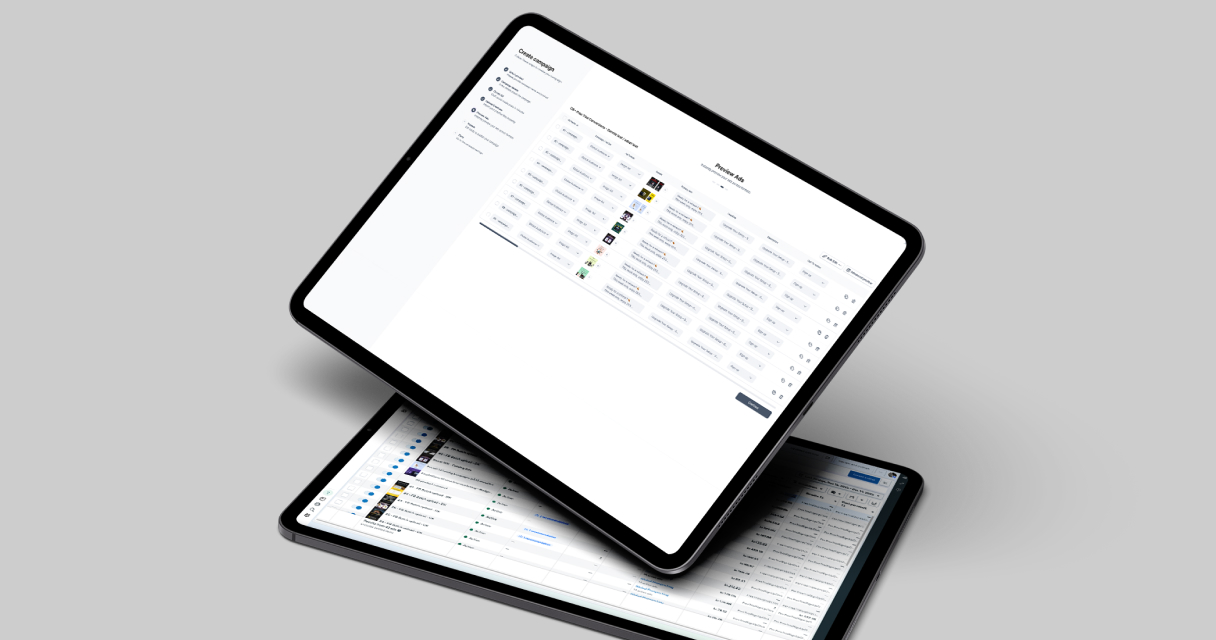
This feature is particularly useful for agencies, e-commerce brands, and marketing teams handling large product catalogs, seasonal campaigns, or frequent content updates. In this guide, we explain how batch upload works, why it saves time, and how Campaign Builder makes it easier than ever.
What Meta Ads Batch Upload Is and How It Works
Meta Ads Batch Upload is a process that allows you to upload multiple ads in one action. Instead of manually creating each ad inside the Meta Ads Manager, you prepare a file with the creative assets, text, headlines, links, and targeting options.
Once the file is uploaded, the platform automatically generates the corresponding campaigns, ad sets, and ads. Updates to existing ads can also be applied in bulk, reducing repetitive manual work.
This workflow is ideal for campaigns with multiple creatives, multiple audiences, or seasonal promotions, allowing teams to scale without increasing errors or setup time.
Why Batch Upload Improves Campaign Efficiency
Batch upload saves time by eliminating the need to manually enter ad details one by one. For teams managing dozens or hundreds of ads, this can reduce setup time by up to 90%.
It also improves accuracy. Manual entry often leads to typos, inconsistent naming conventions, or incorrectly assigned creatives. Batch upload ensures that all fields are applied consistently across campaigns.
By standardizing the process, your team can focus more on strategy, creative optimization, and performance analysis rather than repetitive manual tasks.
Common Use Cases for Batch Upload
Batch upload is commonly used in several scenarios:
1. E-commerce campaigns with large product catalogs that need multiple ads generated quickly.
2. Seasonal promotions, where multiple ads must go live simultaneously.
3. Multi-audience campaigns, where the same creative is tailored to different audience segments.
4. Content updates, such as updating primary text, headlines, or images across many ads.
These use cases highlight how batch upload is not just a convenience - it is a workflow solution for high-volume advertisers.
Creating and Managing Batch Uploads with Campaign Builder
Campaign Builder simplifies the batch upload process by allowing you to map your spreadsheet columns directly to ad fields. Images, text, and links are automatically matched, and errors are flagged before you upload.
Users can create reusable templates for campaigns and ad sets, making it faster to launch new campaigns while maintaining brand consistency. Bulk edits can also be applied later, reducing the need for repetitive changes.
This approach ensures campaigns are accurate, consistent, and launched quickly, even when scaling to hundreds of ads.
Creating and Managing Batch Uploads with Campaign Builder
Campaign Builder simplifies the batch upload process by allowing you to map your spreadsheet columns directly to ad fields. Images, text, and links are automatically matched, and errors are flagged before you upload.
Users can create reusable templates for campaigns and ad sets, making it faster to launch new campaigns while maintaining brand consistency. Bulk edits can also be applied later, reducing the need for repetitive changes.
This approach ensures campaigns are accurate, consistent, and launched quickly, even when scaling to hundreds of ads.
Optimizing and Measuring Batch Upload Campaigns
Optimization remains essential even with batch upload. Teams should monitor performance metrics such as click-through rate, conversion rate, and return on ad spend. Segmenting campaigns by audience or creative can help identify high-performing assets.
Campaign Builder allows you to make bulk updates based on performance data, enabling rapid iteration without recreating campaigns from scratch. This ensures campaigns remain efficient, relevant, and high-performing.
Using batch upload effectively also reduces wasted spend and ensures that campaigns are launched on schedule with fewer errors.


.jpg)