
Campaign Builder is designed to help agencies of all sizes - from small boutique teams to large enterprise operations - manage multiple clients in one place. By providing workspaces, catalog ads, paid ad management, social media scheduling, SMS campaigns, and workflow automation, agencies can deliver better results faster while keeping operations organized and efficient.
Centralized Workspaces for Multi-Client Management
One of the biggest pain points for agencies is managing multiple clients simultaneously. Each client has unique campaigns, brand guidelines, and creative needs. Campaign Builder’s workspaces allow agencies to keep everything organized by client, ensuring clarity and efficiency.
Features of workspaces include:
- Separate spaces for each client, keeping assets and campaigns distinct
- Easy access for team members based on roles and permissions
- Centralized dashboards to monitor campaign progress for all clients
- Streamlined collaboration and approval processes
By organizing work through client-specific workspaces, agencies can scale operations without losing control or clarity.
Catalog Ads and Feed Management
Catalog ads are a cornerstone for e-commerce campaigns, allowing agencies to showcase multiple products dynamically to the right audiences. Managing these campaigns at scale requires efficient feed management and creative organization.
With Campaign Builder, agencies can:
- Connect product feeds and automatically populate catalog ads
- Create templates for consistent and high-performing creatives
- Segment products into campaigns and ad sets for precise targeting
- Update feeds and creatives quickly without starting from scratch
This functionality reduces time spent on repetitive tasks and ensures that all products are accurately and attractively promoted.
Efficient Paid Ad Management with Batch Uploads
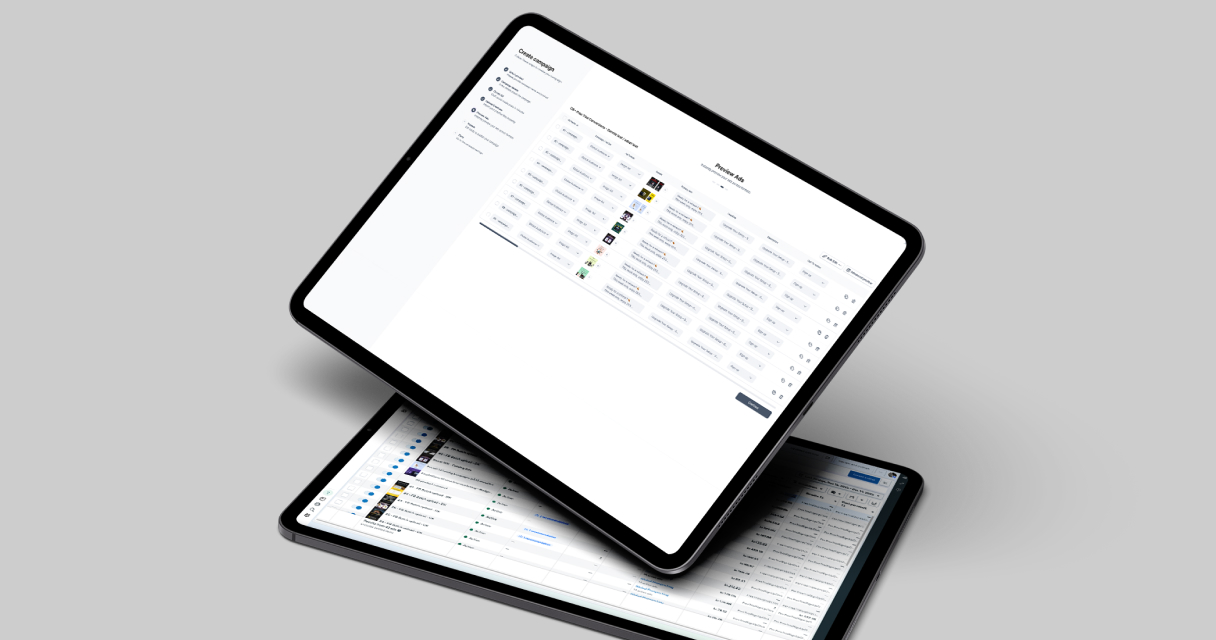
Managing paid ad campaigns for multiple clients can be complex, especially when creating dozens or hundreds of variations. Campaign Builder’s batch upload tools simplify this process, allowing agencies to upload multiple ads at once, ensuring consistency and reducing manual work.
Benefits for agencies include:
- Faster campaign creation without sacrificing quality
- Consistent ad formatting and messaging across campaigns
- Ability to manage multiple client campaigns simultaneously
- More time to focus on strategy and optimization instead of manual uploads
With batch upload, agencies can scale ad production while maintaining precision and creative control.
Social Media Scheduling for Multiple Clients
Keeping social media content consistent and timely is essential for client satisfaction. Campaign Builder allows agencies to plan, schedule, and post content across platforms from a single interface.
Key features include:
- Scheduling posts for multiple clients in advance
- Visual calendars to plan campaigns and seasonal content
- Consistency across platforms with templates and bulk updates
- Improved workflow and collaboration with internal team members
Social media scheduling tools reduce the daily workload and ensure that content is delivered on time, every time.
SMS Campaigns to Boost Engagement
SMS campaigns are highly effective for driving engagement, conversions, and customer retention. Agencies can use Campaign Builder to create, manage, and schedule SMS campaigns for clients, targeting key customer segments with relevant messaging.
Advantages for agencies include:
- Sending birthday, promotion, or event-based messages to customer segments
- Integrating SMS campaigns with broader marketing strategies
- Maintaining compliance and ensuring message accuracy
- Tracking engagement metrics for optimization and reporting
SMS campaigns complement social media and paid ads, providing a holistic approach to client marketing.
Streamlined Workflows and Automation
Efficiency is critical when managing multiple clients. Campaign Builder provides workflow and automation tools to streamline repetitive tasks, approvals, and campaign management.
Agencies benefit from:
- Automating repetitive processes such as ad updates and scheduling
- Clear approval workflows to minimize miscommunication
- Structured pipelines for campaign creation and iteration
- Centralized oversight of client activities and performance
By automating routine tasks, teams can focus on strategy, optimization, and creative development, maximizing both efficiency and results.
Conclusion
Campaign Builder provides agencies with a comprehensive suite of tools to manage multiple clients, campaigns, and ad formats efficiently. From workspaces for client organization to catalog ads, batch uploads, social media scheduling, SMS campaigns, and workflow automation, agencies can deliver better results faster.
Whether managing a handful of clients or an extensive portfolio, Campaign Builder streamlines operations, reduces repetitive work, and enables teams to scale without losing quality. For agencies aiming to maximize efficiency and client satisfaction, Campaign Builder is the central platform for modern multi-client advertising management.
.jpg)