
In this article, we will explore in-depth strategies to optimize catalog ads for better engagement, higher click-through rates, and improved conversions. We’ll cover everything from feed preparation to creative testing, giving you actionable insights to elevate your campaigns.
Understanding Why Optimization Matters
Catalog ads rely on accurate data and appealing visuals to capture attention. Even minor errors in pricing, product descriptions, or images can reduce performance significantly. Optimization ensures that the products displayed are relevant, visually compelling, and aligned with your audience’s interests.
For example, if your catalog shows out-of-stock items, potential buyers may disengage or develop a negative impression of your brand. Proper optimization keeps the catalog up-to-date, maximizes relevance, and builds trust with your audience.
Furthermore, well-optimized catalog ads reduce wasted spend by directing ad impressions toward products that are most likely to convert. By combining automation with strategic optimization, Campaign Builder allows you to scale your ads efficiently without sacrificing performance.
Key Optimization Techniques
Effective catalog ad optimization involves several key steps:
1. Maintain Accurate Product Feeds: Ensure that your product feed contains the latest pricing, availability, and descriptions. Clean and structured data is essential to ensure that each ad displays correct information.
2. Optimize Images: Use high-quality visuals that showcase products clearly. Consider lifestyle images, multiple angles, and consistent branding across all products.
3. Categorize Products: Organize your catalog into logical categories such as bestsellers, seasonal items, or promotional products. This enables better targeting and allows you to test which segments perform best.
4. Test Creative Variations: Experiment with different headlines, primary text, and calls-to-action to identify top-performing combinations.
5. Leverage Dynamic Recommendations: Display related products to users who have shown interest in similar items, encouraging cross-selling and upselling.
By implementing these techniques, your catalog ads will become more engaging, relevant, and likely to convert.
Common Pitfalls and How to Avoid Them
Even experienced marketers encounter challenges with catalog ads. Common pitfalls include:
- Outdated product data, causing inconsistencies in pricing or availability
- Low-quality images that fail to capture attention
- Generic ad copy that does not resonate with the audience
- Overcrowded catalogs with too many products displayed at once, leading to choice paralysis
- Ignoring analytics, which prevents learning from past performance
Campaign Builder helps address many of these issues with automated feed mapping, bulk edits, and validation checks. However, teams must also implement processes to regularly review and update content to maintain high ad quality.
Leveraging Campaign Builder Features for Optimization
Campaign Builder provides multiple tools that make catalog ad optimization easier:
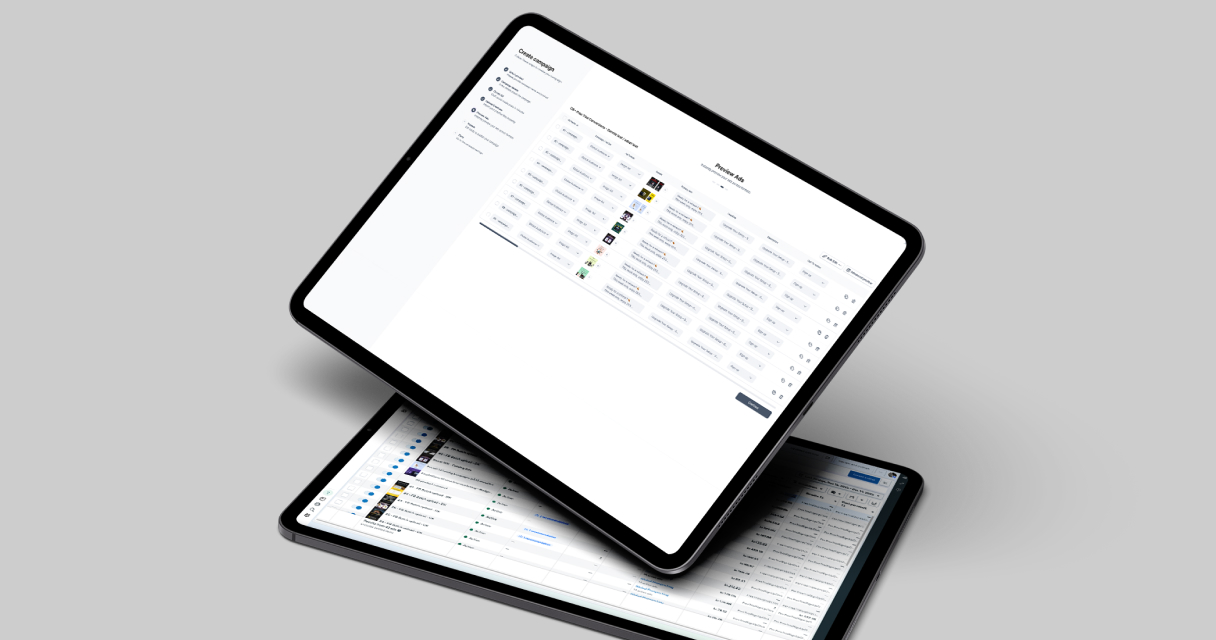
Bulk editing tools allow you to update images, text, or links across multiple ads simultaneously. Preview functionality lets you see how ads will appear to different audiences, helping you catch errors before publishing. Templates can be reused for recurring campaigns, maintaining brand consistency while saving setup time.
By leveraging these features, teams can iterate faster, reduce manual errors, and scale campaigns without compromising quality.
Measuring and Iterating for Continuous Improvement
Optimization is an ongoing process. Campaign Builder allows you to track metrics such as click-through rate, conversion rate, and return on ad spend. Use these insights to:
- Identify top-performing products and creatives
- Pause underperforming ads or replace assets
- Test new headlines, calls-to-action, or images
- Refine targeting based on audience behavior
Continuous iteration ensures that your catalog ads stay relevant, effective, and aligned with your overall marketing objectives.
Conclusion
Catalog ad optimization is a combination of clean data, engaging creatives, and strategic testing. By following these tips and utilizing Campaign Builder’s automation and bulk management tools, your team can deliver high-performing catalog ads at scale. Optimized catalog ads not only improve conversions but also enhance your audience’s experience, building long-term trust and loyalty.

.jpg)