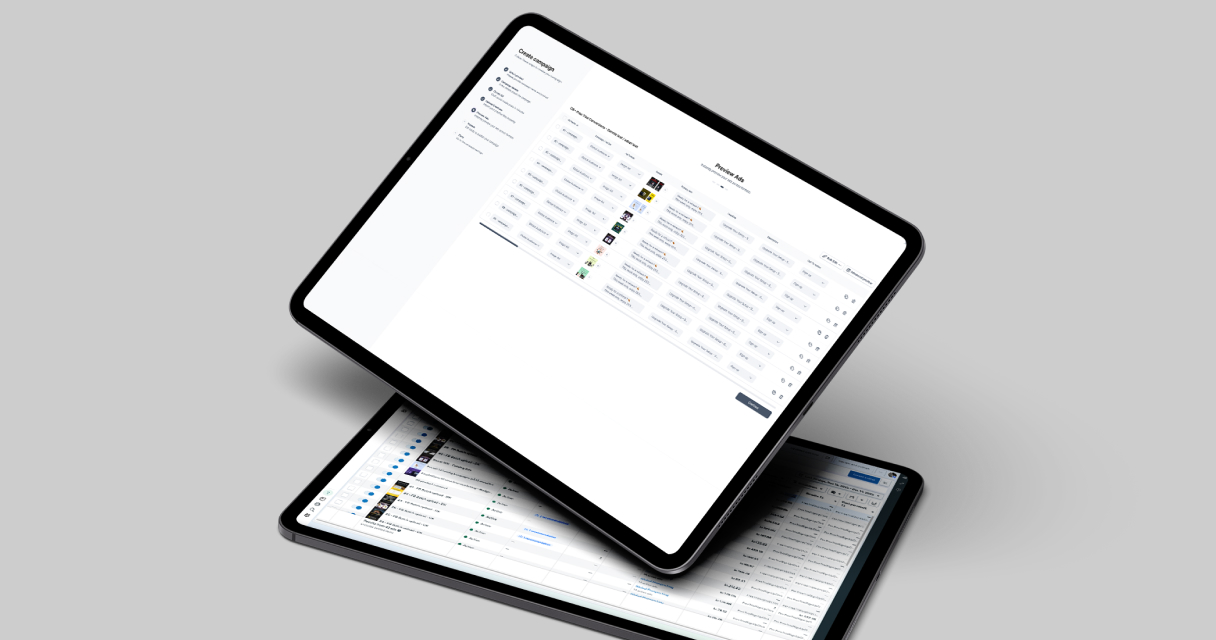
Campaign Builder provides tools to upload multiple Meta ads in bulk, streamline creative management, and maintain control over messaging. However, using batch upload effectively requires planning, organization, and adherence to best practices.
In this guide, we’ll explore how to prepare for batch uploads, manage creatives efficiently, optimize workflow, and ensure consistent performance.
Why Batch Uploading Matters
Batch uploading Meta ads enables teams to create and publish multiple ads simultaneously, reducing repetitive tasks and freeing up time for strategy and optimization. This is particularly valuable for e-commerce brands, agencies managing multiple clients, or businesses with large product catalogs.
Manual ad creation is prone to errors, such as misnamed assets, inconsistent copy, or incorrect URLs. Batch upload minimizes these risks by allowing structured, repeatable processes.
By combining batch upload with templates, bulk editing, and structured workflows, teams can maintain quality while increasing output, making scaling both efficient and reliable.
Preparing for Batch Upload
Effective batch upload starts with preparation. Before uploading ads, ensure that all creative assets, copy, and metadata are organized and standardized.
Key preparation steps include:
- Organizing images and videos with clear naming conventions
- Preparing ad copy in a spreadsheet or content management system
- Mapping assets to the correct product or campaign
- Ensuring URLs, tracking codes, and call-to-actions are accurate
Proper preparation reduces the likelihood of errors during upload and ensures a smooth workflow for your team.
Managing Creative Assets
Consistency in creative assets is critical for branding and performance. Batch upload allows teams to apply consistent templates, image ratios, and messaging across multiple ads.
Best practices include:
- Standardizing image dimensions to fit Meta’s ad specifications
- Ensuring copy tone and style match brand guidelines
- Using dynamic placeholders where appropriate to personalize ads at scale
- Regularly reviewing and updating creative to maintain relevance
Campaign Builder supports these practices by enabling bulk edits, asset mapping, and template usage, making creative management at scale more efficient and less error-prone.
Optimizing Workflow and Efficiency
Workflow optimization ensures that batch uploads save time without introducing mistakes. Assign roles and responsibilities clearly, and establish a process for reviewing and approving content before upload.
Consider the following strategies:
- Use pre-defined templates for recurring campaigns or product launches
- Maintain a single source of truth for copy, assets, and links
- Test a small batch first to verify formatting and functionality before uploading larger batches
- Document the upload process to maintain consistency across team members
A structured workflow ensures that batch uploads remain efficient while maintaining high standards of quality.
Maintaining Accuracy and Quality
Even with batch upload, accuracy is paramount. Incorrect copy, mismatched creatives, or broken links can reduce performance and damage brand credibility.
Steps to maintain quality include:
- Double-checking asset mapping and naming conventions
- Reviewing copy for typos and consistency
- Verifying URLs, tracking codes, and call-to-actions
- Monitoring ad previews before publishing
Campaign Builder’s interface allows teams to review batches and make bulk adjustments quickly, minimizing the risk of errors while scaling campaigns.
Measuring Batch Upload Performance
Batch upload simplifies execution, but measuring the performance of uploaded ads is essential to understand impact. Track key metrics such as impressions, click-through rates, engagement, and conversions across the batch.
Analyze performance patterns to identify which creatives, messaging, or product variations resonate best with audiences. This insight informs future campaigns, helping teams optimize batch uploads for higher ROI.
Campaign Builder supports monitoring and reporting, allowing teams to iterate efficiently and scale campaigns without losing oversight.
Conclusion
Batch uploading Meta ads is a powerful tool for teams looking to scale efficiently while maintaining quality and consistency. By preparing assets carefully, standardizing creatives, optimizing workflows, and tracking performance, marketers can save time and improve results.
Campaign Builder simplifies batch upload management, enabling teams to focus on strategy, creative optimization, and scaling campaigns effectively. Implementing these best practices ensures that bulk ad management becomes a strategic advantage rather than a logistical challenge.

.jpg)