Manual workflows quickly become inefficient and error-prone when agencies handle dozens or hundreds of ads across multiple accounts. Campaign Builder is designed to support agencies by streamlining creative workflows, batch uploads, and collaboration, allowing teams to scale without sacrificing quality or control.
This article explains how agencies can use Campaign Builder to scale client advertising operations efficiently, improve productivity, and maintain consistent performance as they grow.
The Challenges of Scaling Client Advertising
Agencies managing multiple clients must juggle a wide range of requirements, including unique branding guidelines, different audiences, and varied campaign goals. Without the right tools, scaling becomes difficult and resource-intensive.
Common challenges include:
- Managing large volumes of creatives across multiple client accounts
- Ensuring brand consistency while adapting ads for different platforms
- Handling repetitive manual work for ad creation and updates
- Coordinating approvals and revisions efficiently
- Maintaining oversight as campaign volume increases
Campaign Builder addresses these challenges by centralizing workflows and enabling agencies to operate at scale.
Centralized Creative Management
Creative management is at the core of scalable advertising. Agencies need to store, organize, and reuse creative assets efficiently across clients and campaigns.
Campaign Builder provides a centralized environment where agencies can manage visuals, copy, and formats in one place. This allows teams to:
- Reuse approved creatives across multiple ads
- Apply consistent naming conventions and templates
- Maintain version control for ongoing iterations
- Reduce time spent searching for assets
Centralized creative management ensures consistency, reduces duplication, and improves collaboration across agency teams.
Batch Uploads for Efficient Scaling
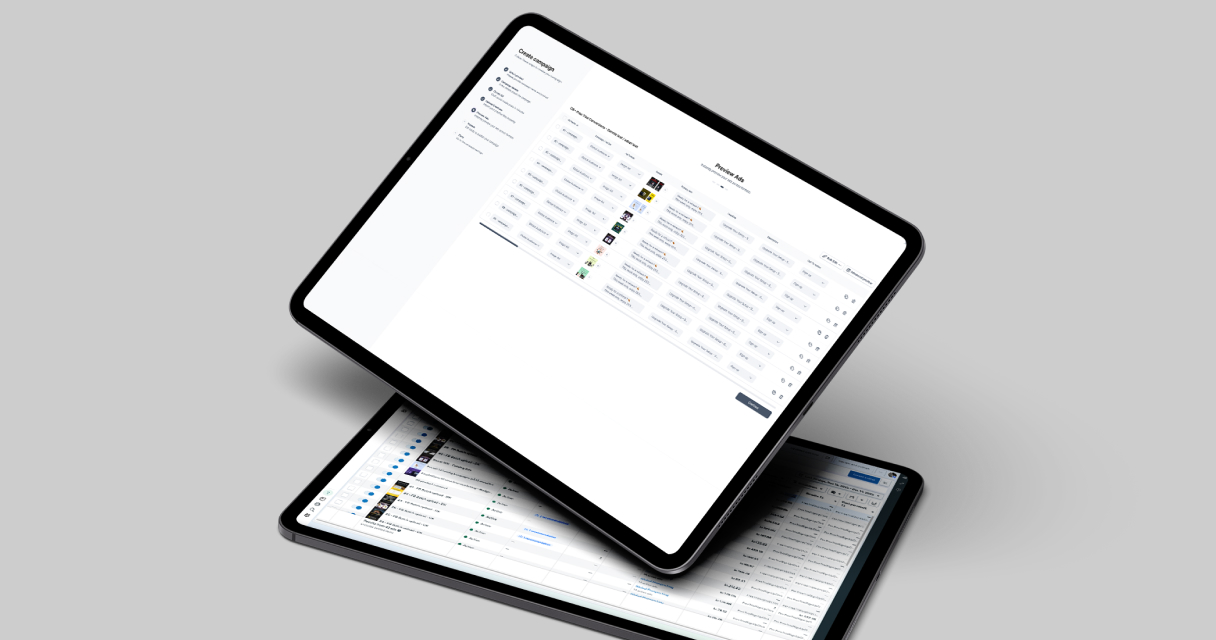
Batch upload functionality is essential for agencies handling high volumes of ads. Instead of creating ads one by one, agencies can upload multiple creatives and variations simultaneously.
This approach enables agencies to:
- Launch large sets of ads quickly
- Apply consistent structures across multiple clients
- Reduce manual errors caused by repetitive tasks
- Free up time for strategy and optimization
Campaign Builder’s batch workflows make it possible to scale output without scaling headcount, which is critical for maintaining agency margins.
Supporting Multi-Client Operations
Agencies often manage advertising for many clients simultaneously, each with unique needs and timelines. Campaign Builder supports multi-client workflows by allowing teams to organize workspaces and assets clearly.
Benefits include:
- Clear separation of client assets and workflows
- Reduced risk of cross-client errors
- Improved onboarding for new clients
- Better internal collaboration across teams
This structure helps agencies maintain control and transparency as client portfolios grow.
Streamlining Updates and Iterations
Advertising is rarely static. Agencies must respond quickly to performance insights, creative feedback, and market changes. Updating ads manually across multiple clients can be time-consuming and inefficient.
Campaign Builder enables agencies to make bulk updates to creatives and messaging, allowing teams to:
- Update copy or visuals across multiple ads at once
- Roll out seasonal or promotional changes efficiently
- Ensure consistency during rapid iterations
- Reduce turnaround time for client requests
These capabilities help agencies stay agile while managing large-scale advertising operations.
Maintaining Quality at Scale
Scaling output should not come at the cost of quality. Agencies must maintain high creative standards while increasing volume.
Best practices for maintaining quality include:
- Using templates to enforce brand guidelines
- Implementing structured review and approval processes
- Testing smaller batches before full rollout
- Documenting workflows and standards for consistency
Campaign Builder supports these practices by providing structured workflows that prioritize quality control alongside efficiency.
Improving Agency Profitability
Efficiency directly impacts agency profitability. Reducing manual work, minimizing errors, and speeding up delivery allows agencies to serve more clients without increasing costs.
By using Campaign Builder to streamline creative production and ad management, agencies can:
- Increase output without increasing headcount
- Deliver faster turnaround times to clients
- Focus more resources on strategy and optimization
- Improve overall client satisfaction and retention
These benefits make Campaign Builder a valuable tool for agencies aiming to scale sustainably.
Conclusion
Scaling client advertising is a complex challenge for agencies, requiring efficient workflows, centralized creative management, and reliable processes. Campaign Builder provides the tools agencies need to manage increasing volumes of ads without sacrificing quality or control.
By leveraging batch uploads, structured workflows, and centralized asset management, agencies can scale client advertising operations efficiently, improve profitability, and deliver consistent results across all client accounts.

.jpg)