Follow these steps to create and send an SMS campaign:
Step 1: Select Product
- Go to Products in left menu.
- Choose SMS Marketing from the product list.
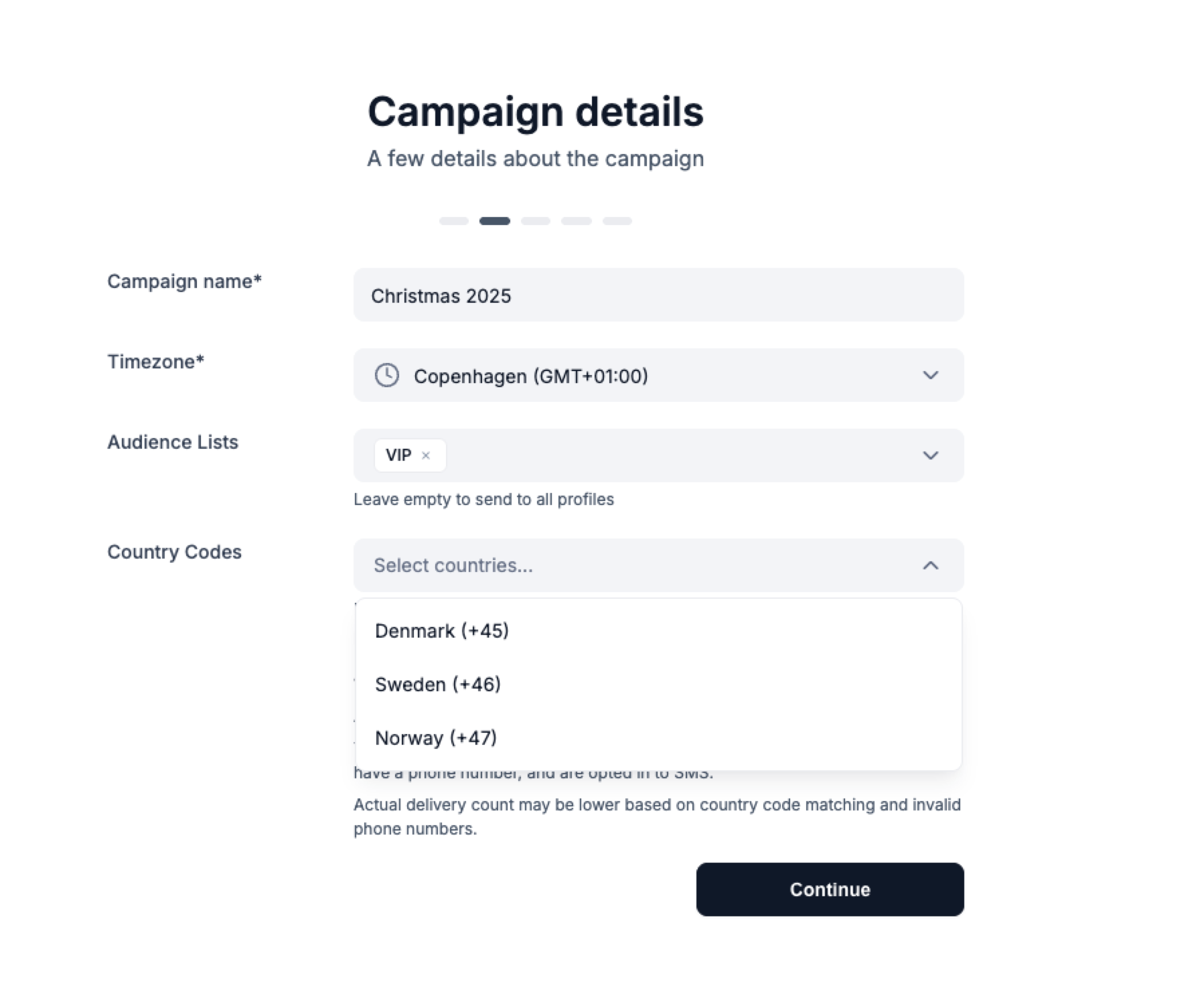
Step 2: Add Campaign Details
- Enter a Campaign Name (e.g., “Summer Promo 2025”).
- Select an Audience list or just sent to all profiles who have opt-in for SMS.
- Choose your Country if you want to limit and Timezone.
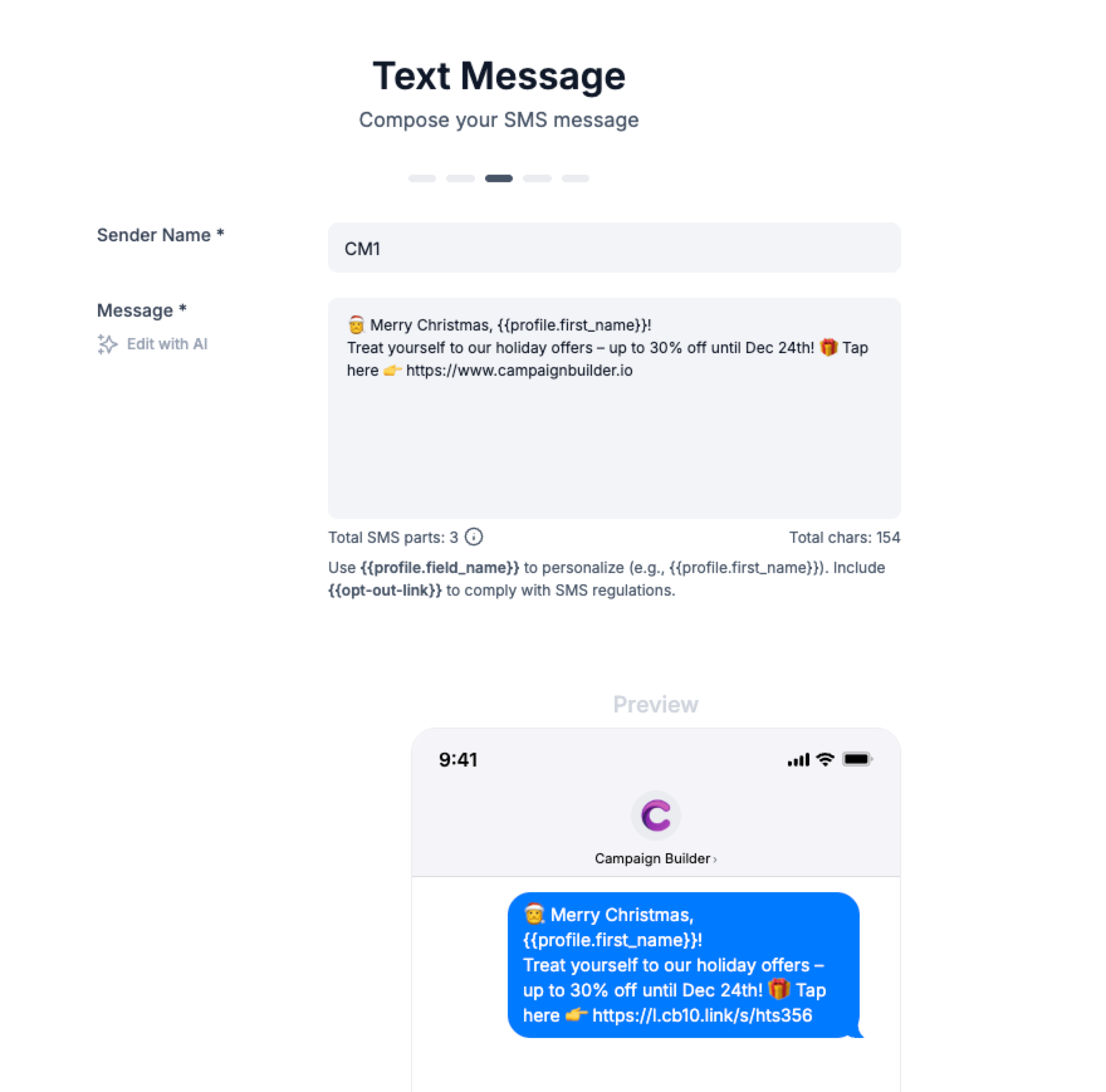
Step 3: Write Your Message
- Add your Sender name (e.g., “YourBrand”).
- Use Edit with AI to generate or improve your copy.
Use double brackets to insert dynamic content, such as {{profile.firstname}}.
Step 4: Preview and Test
- You’ll see a live preview of your SMS, with all dynamic tags automatically replaced with real values.
- Use Send Test Message to test on your phone.
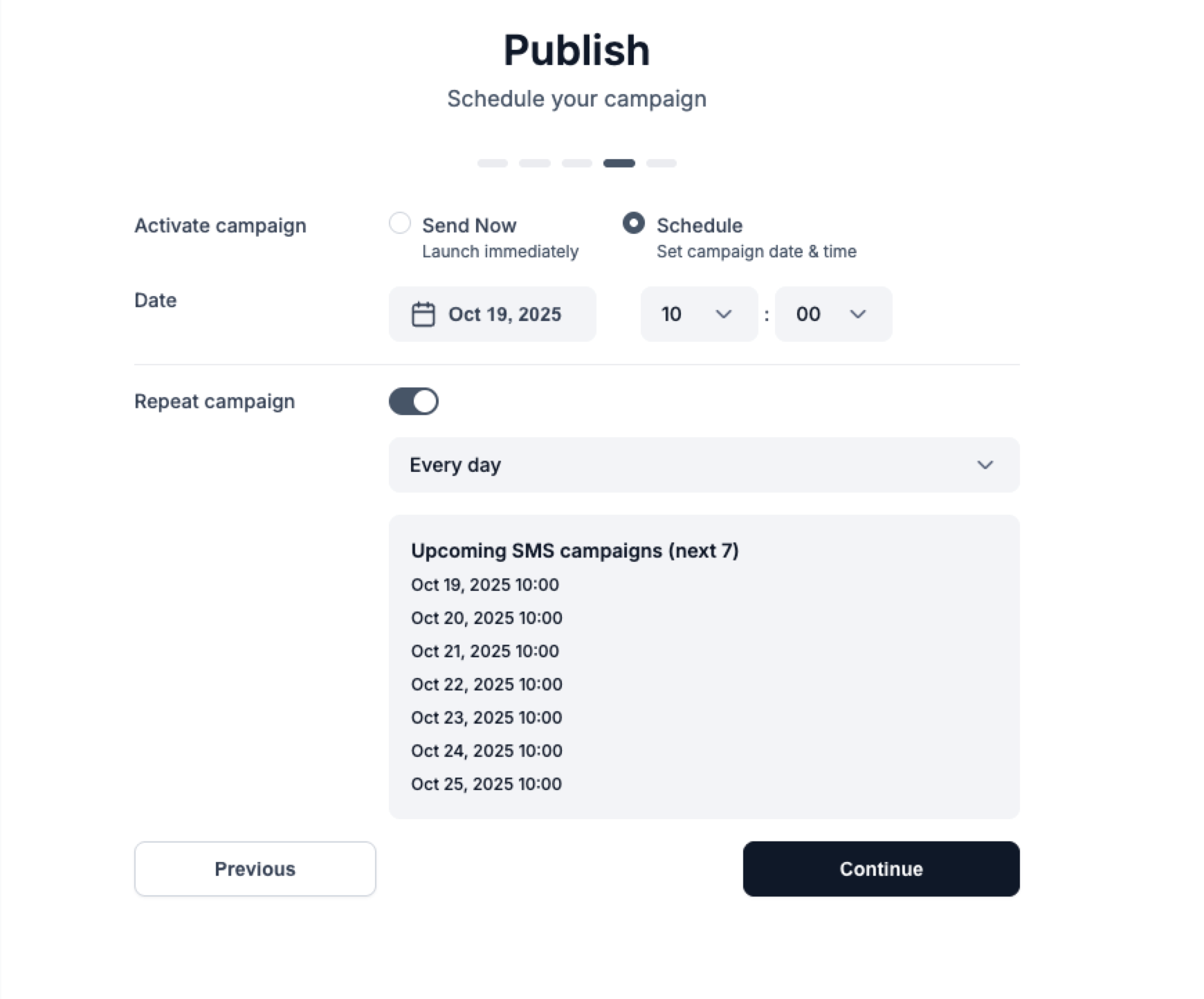
Step 5: Publish
- Choose Send Now or Schedule for later.
It’s possible to repeat your campaign, and you’ll see a preview of the next 7 time slots when it will be sent.